STEP 1: Battery replacement and charging
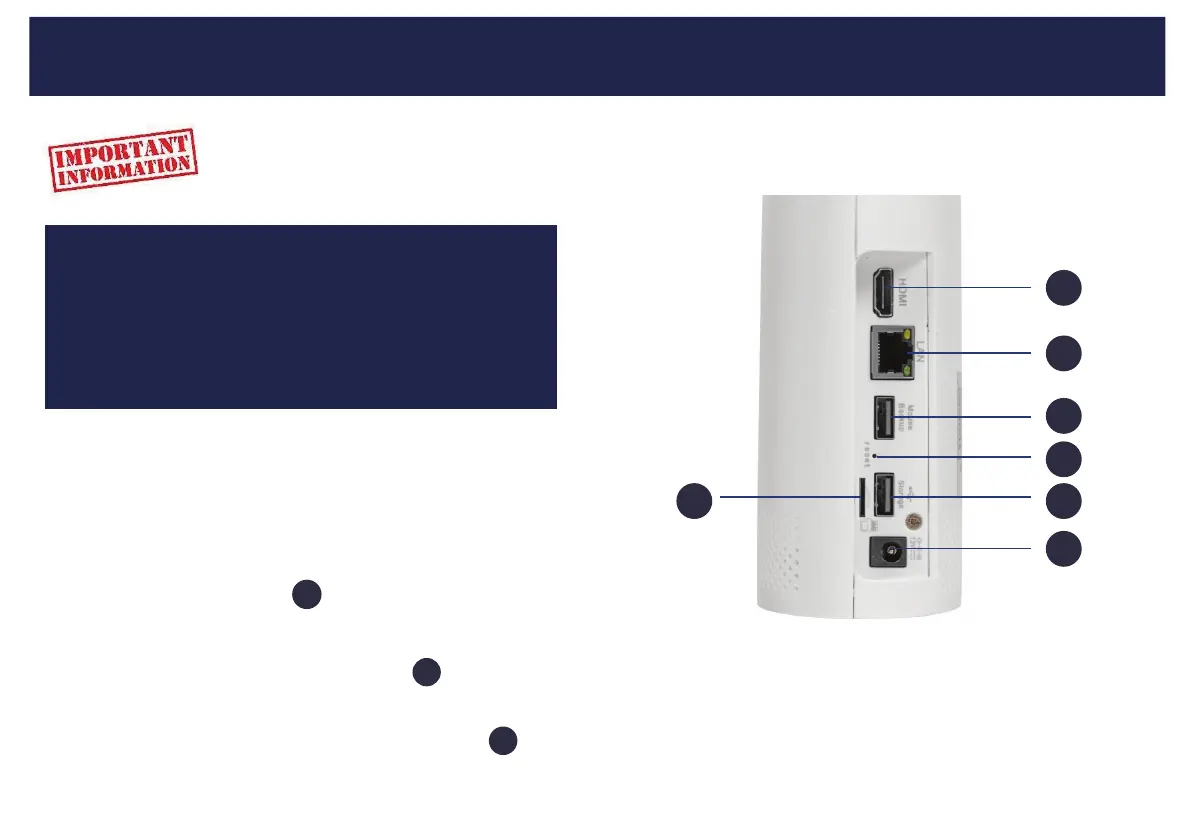
STEP 2: Connect a display
STEP 3: Connect USB mouse:
STEP 4: Powering up your device
Easy 5 Step guide
7
7
1
1
2
3
3
4
5
6
We strongly recommend you connect all
cameras and cables and check they are
communicang and can be seen on your
monitor before a permanent installaon.
Connect a monitor or HDTV to
Connect the USB charging cable to the camera baery and
charge for up to 3 hours before use.
Connect the NVR power supply unit to the power input
Connect the supplied USB mouse to USB port
Your cameras will automacally connect to the NVR once it is powered up.
using the supplied HDMI cable.
5



 To Next Page