5 SOS alarm
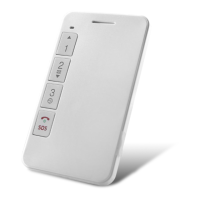
Long press SOS button for 3 seconds can activate GPS. The device will vibrate twice and dial
pre-set SOS numbers in turns for three times until one of them answers. In the meanwhile, it will
send location to SOS numbers.
NOTE: SOS number should be set.
6 GPS working period
If the working period is set, GPS will work during the pre-set period. If the working period is not
set, it will not upload GPS data. It is recommended to set working period on the time after
classes.
NOTE: Working period should be set on platform.
7 Check location
7.1 Check by calls
SOS numbers call the device and hang up after 5 seconds will activate GPS. It will upload GPS data
to the platform and send location information to SOS numbers. The longest GPS searching time is
5 minutes.
7.2 Check by SMS
SOS numbers send command: WHERE# to check the coordinates. The device will reply
coordinates information.
e.g. Lat:N22.571285,Lon:E113.877115,Course:42.20,Speed:0.0740,DateTime:10-11-23 22:28:51
If GPS is not located at all, the device will reply after 5mins:“NO DATA!”
SOS numbers send command: URL#
If GPS is located, it will reply google link of the latest longitude and latitude:
e.g. Google link reply
<DateTime:10-11-23 23:42:51> http://maps. oogle.com/maps?q=N22.571490,E113.877103
If GPS has never been located before, it will reply “NO DATA!” after 5mins.


 To Next Page