3.1 Hardware Installation
**Do not power on your modem before your finished
the following installation.
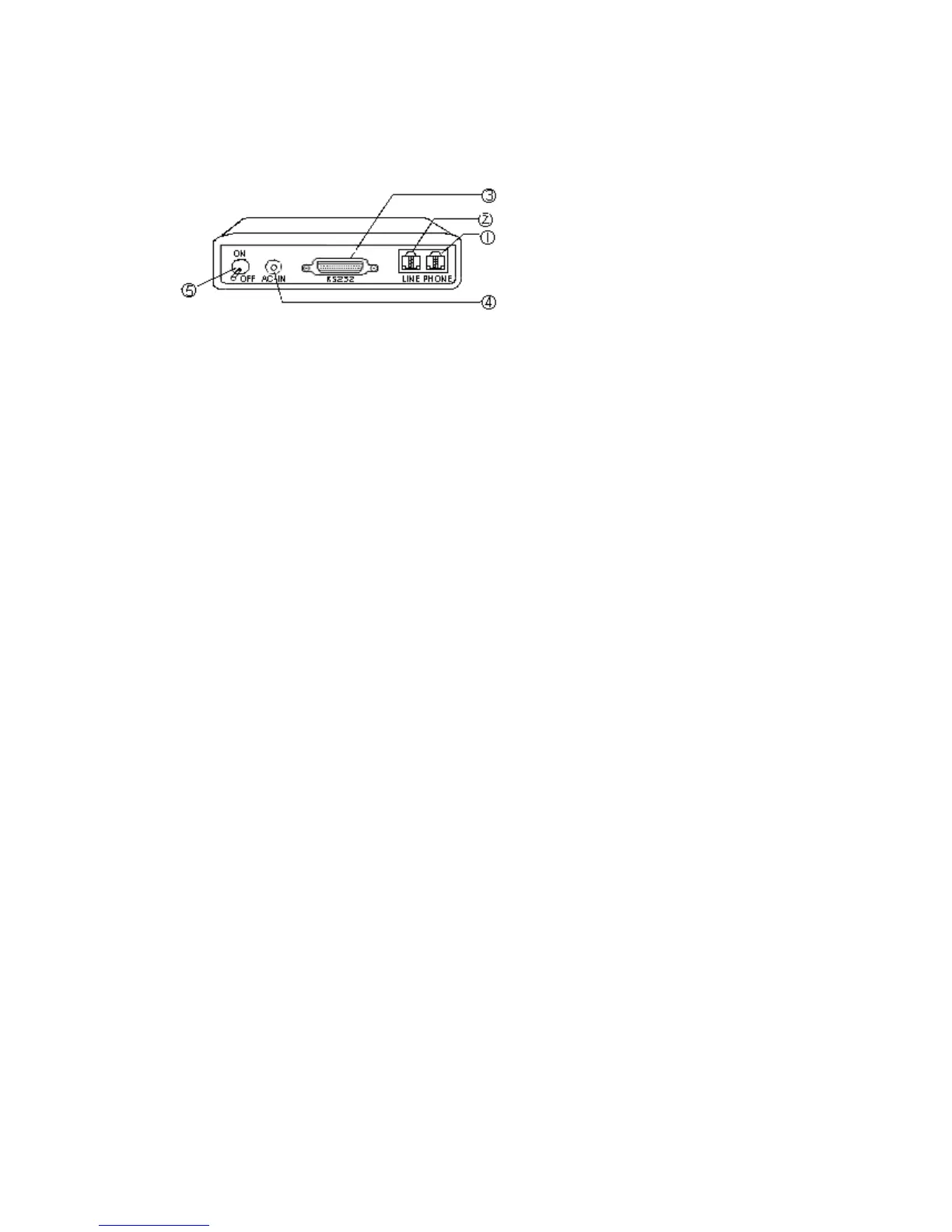
1. Plug the male end of the RS-232 cable into the connector marked RS-232
○
,3
on the back of the modem.
2. Plug the other end of this cable into the serial port on the back of your computer.
3. Plug the power cable into the AC-IN(or POWER) connector
○
,4 on the back of the modem.
4. Plug the power adapter into a wall outlet.
5. Plug one end of the phone cable into the modem LINE jack
○
,2. Plug the other end into the phone outlet.
6. To use telephone and the modem on the same line, plug one end of the optional phone cable into the PHONE
jack
○
,1 on the modem; plug the other end into the phone. Lift the telephone handset and listen for a
DIALTONE to check the connection.
7. Turn your modem on
○
,5 . The POWER lights should light up.
8. Turn your computer on.



 To Next Page