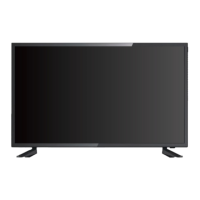
The Connex CX39A21DC is an HD LED TV designed for household use, offering a range of features for entertainment and connectivity. This instruction manual provides comprehensive guidance on its setup, operation, and maintenance.
Function Description:
The Connex CX39A21DC is a high-definition LED television capable of displaying images and playing audio from various sources. It supports multiple input options, including HDMI, VGA, USB, and RF, allowing users to connect external devices such as media players, computers, and antenna/cable boxes. The TV features an intuitive on-screen display (OSD) menu system for easy navigation and adjustment of settings, including picture, sound, time, lock, and channel configurations. It also includes a media playback function for viewing JPEG images and listening to MP3 audio directly from a USB device. The remote control provides full functionality for power, input selection, channel navigation, volume control, and access to various menu options.
Important Technical Specifications:
- Model: CX39A21DC
- Screen Size: 39 inches
- Panel Resolution: 1366x768
- Viewing Angle: 178° (Horizontal) x 178° (Vertical)
- Aspect Ratio: 16:9
- USB Port: Supports JPEG image/MP3 audio playback
- Power Input: DC 12V (or plugpack)
- Audio Output: Headphone jack, Optical Out
- Video Inputs: HDMI (3 ports, including 1 ARC), VGA, RF (Antenna/Cable), CVBS/Y/Pb/Pr (Composite/Component Video)
- Audio Inputs: PC Audio In, Audio In (for audio devices)
- Wall-mount Screws: BM6*10mm (included)
- Operating Temperature: Not to be used under temperatures over 40°C.
Usage Features:
- Setup Wizard: Guides users through initial setup, including TV location (Home/Store mode), language selection, time zone, daylight saving, time format, and auto-scan for channels (Air/Cable).
- Picture Menu: Allows adjustment of Picture Mode (Standard, User), Brightness, Contrast, Color, Tint, Sharpness, and Color Temperature (Cool, User).
- Sound Menu: Provides control over Sound Mode (Standard, User), Treble, Bass, Balance, MTS (Mono, Stereo, Sap), Audio Languages, Digital Audio Output (PCM), Surround Sound, and AVL.
- Time Menu: Configures Sleep Timer, Time Zone, Daylight Saving Time, Time Format (24-hour), Auto Clock, and Clock settings.
- Lock Menu: Offers parental control features such as Change Password, Key Lock, System Lock, Input Block, US Rating, Canada Rating, RRT Setting, and Reset RRT. The default password is 0000.
- Channel Menu: Manages Air/Cable selection, Auto Scan, Favorite channels, Channel List, Show/Hide channels, Channel Number, and Channel Label.
- Media Menu: Enables playback of JPEG images and MP3 audio files from a connected USB device. Users can navigate through folders, select files, and view file information.
- Remote Control: A comprehensive remote with dedicated buttons for power, input, sound mode, picture mode, freeze, sleep, numeric keys (0-9), program swap, info, volume, program up/down, mute, menu, exit, navigation (up/down/left/right/enter), CCD (closed caption), play/pause, EPG (Electronic Program Guide), stop, previous/next track, previous/next display, GOTO, A-B repeat, repeat, zoom, channel list, favorite list, favorite, and MTS.
- TV Controls: On-device buttons for Input, Menu, Channel Up/Down, Volume Up/Down, and Power.
- Stand Installation: The TV comes with a base stand that requires manual assembly with screws. Care must be taken not to damage the screen during installation.
- Wall Mounting: The TV can be wall-mounted using VESA screws (BM6*10mm) and appropriate wall mount brackets (sold separately). Specific VESA screw hole specs are provided for different TV sizes.
Maintenance Features:
- Cleaning: The LCD screen should be cleaned gently with an absorbent cotton cloth or other soft material like chamois. Avoid using acetone, toluene, or alcohol, as these chemicals can damage the surface.
- Battery Replacement: The remote control requires 2 AAA-size batteries. Instructions for loading batteries are provided.
- Safety Precautions: The manual outlines important safety instructions, including warnings against blocking ventilation, exposure to heat sources, using the appliance in temperatures over 40°C, pinching the power cord, and using unauthorized attachments. It also advises against self-servicing and recommends referring all servicing to qualified personnel.
- Troubleshooting Guide: A dedicated section helps users diagnose and resolve common issues related to TV operation, sound, picture, remote control, reception, and AV input.
- Customer Support: Provides contact information for warranty service in the U.S. and internationally, along with details on warranty coverage and exclusions. The warranty is limited to 1 year for parts and 90 days for labor.



 To Next Page
 General