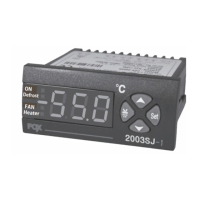
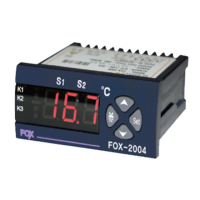
Program Setting (The value of each item is the factory setting.)
Temperature Setting
Setting Method
3. Use a shielded cable with a proper length when extending a sensor.
4. Do not use any part that generates an arc when used in the same
power or directly switched in close proximity.
Caution
!
1. Please make yourself familiar with all the operation instructions,
safety precautions and warnings before using this product.
Comply with related specifications and capacity requirements
Warning
!
2. Do not wire or install this product to any unit with high inductive
load (e.g. motor, solenoid, etc.).
5. Keep the power cable away from a high-voltage cable and do not
install this product in any place that is full of water, oil and dust.
6. Do not install this product in any place that is exposed to direct
sunlight or rain.
a detailed
description
WWW.CONOTEC.CO.KR
CONOTEC CO., LTD.
- X10,XR10
DIGITAL TEMPERATURE CONTROLLER
•
A user manual for this product is posted on the company website.
•
Please download the technical document and communications
manual on the company website
Instruction Manual
01 Safety precautions
04 Terminal wiring diagram
05 Setting process
Please read the safety precautions carefully for correct
operation of the product.
※
The specifications and dimensions specified in this instruction
manual may be changed without any notice for performance
enhancement.
2. Do not wire, inspect or service this product while the power is
being supplied.
3. You must attach this product to a panel. Otherwise, it may cause
an electric shock.
4. When connecting the power, you must check the terminal number.
5. Do not ever disassemble, process, modify or repair this product.
12. Keep the sensor cable away from a signal cable, a power cable
or a load cable. Use a separate pipe.
13. Keep in mind that the follow-up service will not be available if
this product has been arbitrarily disassembled and modified
15. Do not use this product near any device generating strong
high-frequency noise (e.g. high-frequency welding machine
high-frequency sewing machine, high-frequency radio,
large-capacity SCR controller, etc.).
16. Using this product in any method other than those specified by
by the manufacturer may lead an injury or a property damage
19. The company will not be liable for any damage caused by the
violation of the above warnings and cautions or by a consumer’s fault
18. The product should be installed only by an expert or
a qualified person.
17. The product is not a toy. Keep it away from children.
11. The sensor cable should not be cut or cracked..
10. Do not install this product in any place where the temperature/
humidity ratings are exceeded
9. Do not sprinkle water onto this product for cleaning when
installing it in the kitchen.
8. Keep this product away from any place that generates strong
alkaline or acid substances. Use a separate pipe.
14. symbol on the terminal wiring diagram indicates a safety
statement that alerts a warning or caution.
02 Model Types
Model Sensor
Temperature
Range
Function
DSFOX-X10
DSFOX-XR10
NTC
10K
~ + 200
℉
Celsius : - 55.0
℃
~ + 99.9
℃
Fahrenheit : - 60
℉
Control
Type
Relay
contact
(1EA)
Power
100~240
VAC
50/60Hz
Temperature
control
Temperature
control 485
communications
[ DSFOX - X10 ]
1 2 3 4 7 8 9 10 11 12
R
5 6
N
N
Temperature control output
POWER
SUPPLY
A
C
B
Sensor
NTC
10K
R1 R2
R N
※ Output : 250VAC 2A; A power relay or a magnet must be used.
※ Be careful that any load over the contact capacity may cause contact fusion,
contact defect, relay damage or others.
[ DSFOX - XR10]
1 2 3 4 7 8 9 10 11 12
R
5 6
N
N
Temperature control output
A
C
B
Communications
Sensor
NTC
10K
R1
R2
POWER
SUPPLY
R N
+
RS485
-
7. Do not install this product in any place that is subject to strong
magnetic power, noise, vibration or shock.
1. This product was not made as a safe device. Therefore, this
product should be attached with dual safety devices if it is used
for the control purposes (e.g. a device vulnerable to accident and
property damage, etc.).
03 Components
Down switch
5
Up switch
Back switch
3
SET switch
2
OUT output display
4
1
Temperature unit
6
2
4
5
3
6
1
X10
OUT
SET
Image Description
SET
Entry into or return to the settings
page Selection and saving of data values
Go to the previous menu when
setting up a program
Increment/decrement of the
selected menu data
/
Name
Up/Down key
Set key
Back switch
Chance of the temperature output’s set temperature
(temperature setting)
Increase or decrease the setting with the or key
SET
If you press the key once, the setting will blink and be displayed.1)
2)
System running / Stopping (only XR10)
In the running mode : System shut down by pushing +
In the stop mode : System runs by pushing +
1)
2)
25.0
10.0
O-K
25.0
SET
The current temperature will be displayed.
If the press the key, the setting will blink.
SET
Press the key after changing the setting.
Use the or key to change the setting.
SET
SET
Bilnking
setting
Change of the
set temperature
OK
(setting
confirmation text)
Current
temperature
O-K, a setting confirmation text, will be
displayed, and the current temperature
will be shown.
0.0
0.00
Press the key for at least 5 seconds.
SET
Temperture
unit setting
in
1
loc
9600
cdt
bps
AdDr
off
Lock setting
on/ off
Communications
address setting
1 ~ 99
Communication
data type setting
Baudrate setting
1200/ 2400/
4800/ 9600/
192-
fl/ in
C
COOL
1.0
TYP
UNIT
Dif
Dlt
COR
Output
function option
Deviation
temperature setting
Temperature
correction setting
Output delay
time setting
C/ f
SET
SET
SET
SET
SET
SET
SET
SET
SET
SET
SET
SET
SET
SET
SET
SET
SET
SET
0.00 ~ 60.00
(00M 00S)
F :1 ~100
C : 0.1 ~ 25.0
F :-20 ~ 20
C :-10.0 ~10.0
COOL/ HEAT
Those functions within a dottes rectangle will only be
available on an XR 10 model.
※
Installer mode settings (Program settings)
Configure the program based on the temperature program
configuration diagram.
Press key for Enter the previous setting menu
(*Program setting mode only)
Press the key for at least 5 seconds to enter into the installer mode.
SET
1)
2)
3)
•
Electric shock - Do not touch the AC terminal while the current is flowing.
It may cause an electric shock.
•
Disconnect the input power before checking the input power.
Danger
!
Caution: Risk of electric shock
Version 2.0.0(2024.03.22)


 To Next Page
 Need help?
 General