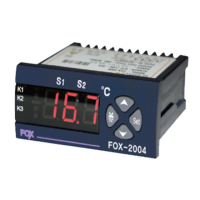
-1
FOX-2003SJ-1
-1
5A250V
(COMP, Defrost), 5A(FAN)
Heater
ON
Read carefully this instruction manual before use and use
the product properly.
The specifications, appearance and dimension may be changed
for improvement of performance without a prior notice
WARNING
1. This product is not made as a safety device, so when it is used for
a control of devices feared to cause casualties, damages to the
peripheral devices or huge property loss, the double safety
devices should be arranged before use.
2. Avoid connecting lines, checking and repairing the products while
power is supplied.
3. Connect power after making sure the terminal number.
4. Never disassemble modify, improve or repair the product.
CAUTIONS
Be well-informed of how to use, safety regulations, warnings, etc
before installation of this device and apply it to the extent of the defined
specifications and relevant capacity without fail.
Avoid wiring or installation to a motor or solenoid with a large inductive load.
Use a shiled cable for extention of the sensor and ensure not to make it longer
than the necessity.
Ensure not to use the parts generating arc when switching at the same power
source or near to it.
Keep the power cable away from a high-tention power line and ensure not to
install it at a place with serious oil and dirt.
Avoid strong magnetic field or serious noise, vibration or impact.
Keep away from the place where strong alkaline or acid material is directly
released and use an independent pipe line.
When it is installed at kitchen, ensure not to pour water directly over the product
for cleaning.
Keep the sensor cable away from signal line, power source, power line or
loaded line and use an independent pipe line.
Note that the mark of in terminal connection diagram is the safety
expression for warnings or cautions.
Avoid using the product close to the device generating noises(high frequency
welder, high frequency sewing machine, high frequency radio, large capacity
SCR Controller, etc).
The use in any way other than what is instructed by the manufacturer may
cause injury or property loss.
It is not a toy and keep it out of reach of children’s hand.
The installation of the device should be performed by an expert or a qualified
personnel without fail.
We shall not take any responsibility for the damage caused by non-compliance
with the above-mentioned warnings or cautions or by any consumer’s mistake.
Power
Operating machine
(load)
Example for connection of relay
Relay contact
output terminal
DANGER
Electric shock -Do not touch AC terminal during application of
electric current. It may cause electric shock.
Cut the power supply without fail during checking the input power.
Model
DEFROST
DEFROST
(Cooler only)
Functions
Temp. Range
Relay contact
Sensor
Controlled output
control
Defrost control
control
ON
Defrost
FAN
Heater
Down switch
Function changing switch
UP switch
Defrost switch
Setting Temperature
By pressing this key, the set value is flickered.
Displays the present temperature
By pressing this key, the set value is changed.
setting temp.
change
press this key.
Setting value saving confirmed Letter(O-K)
is displayed, then present temperature.
setting confirm.
letter O-K
present temp.
Program Setting
setting
after defrost
FAN ON delay
time setting
low temp.
stoppage
deviation
setting
COMP cumulative
time defrost
selection
How to change the setting temp. for Main output
If press it once, the setting value is flickered .
the value can be up & down with these keys.
A key to enter to installer mode if press for more than 5 sec,
How to set mode function for installer
change with these keys.
Relay contact capacity is less than 250VAC 2A.
If using the load to exceed contact capacity,
be cautious on those can be caused by
contact deposited, contact failure, relay damaged,etc.
Version 0.91(2016.12.27)
www.conotec.co.kr
2A250V
AC LINE
set to
defrost
time
setting
RESET
Exisiting
setting
PV
Rebooting-->display
the model name
-->display PV
set to
defrost
OFF time
temp. correction
(correction the
differential
between the
indicated value
and real value)
output delay
time setting
hysteresys
(deviation)
temp.setting
selection
To be reset after
initialized
except of
press for more than 5 seconds.
-1
※
COMP output display
Defrost output display
FAN output display
Heater/LTS
(low temp. stop) display
Defrost
ON
FAN

 Need help?
 General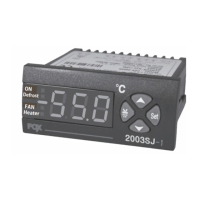

 To Next Page