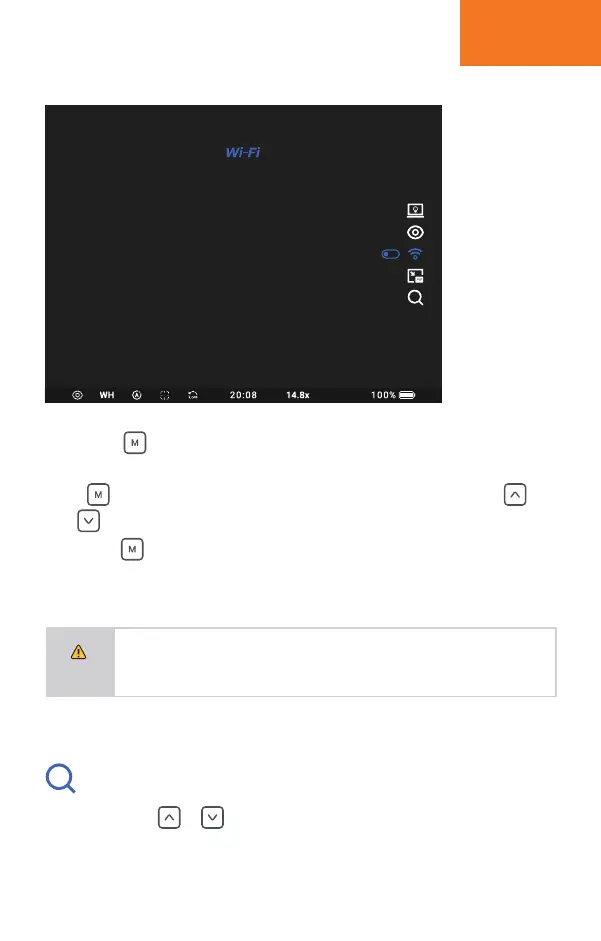
Short press button under real time image to activate quick menu.
Quick menu icons show on the right side of screen.
Press button shortly to switch from quick menu setting, short press
and button to select and confirm setting.
Long press button to exit quick menu.
QUICK MENU
10
NOTE
1.If there is no operation within 5 seconds, it will exit quick menu automatically.
2.The cursor will stay at last icon if re-activating the quick menu within 1
second; the cursor will stay at default function (Zoom), If re-activating the
quick menu after 3 seconds.
Short press or button to have smooth zoom in and out.
Zoom
Tracer 635LRF has magnification from 1.9~7.6X.
Tracer 650LRF has magnification from 2.7~10.8X.


 To Next Page