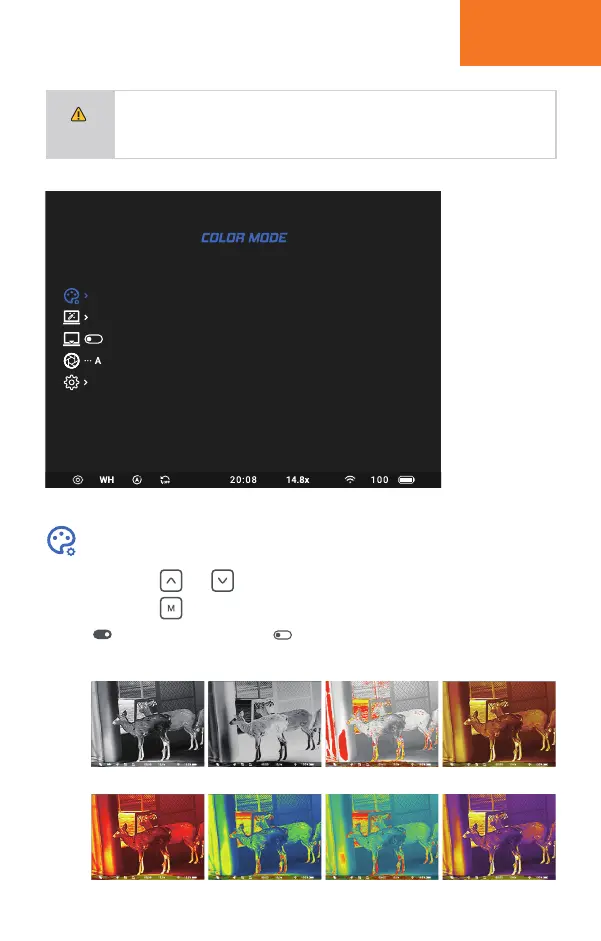
Short press and button to select different color modes.
Short press button to activate/deactivate the selected color mode.
means the color mode is on, means the color mode is off.
The activated color models will appear in the quick menu for switching.
SETUP MENU
12
NOTE
When under real time image, long press M button to Enter/Exit Setup menu.
Short press M button to enter sub-menu.
Short press Up/Down button to select between the menu options.
Long press M button to exit sub-menu.
Color Mode
WH—WHITE HOT
RM—RED MONOCROME
BH—BLACK HOT
UM—ULTRAMARINE
RH—RED HOT
RB—RAINBOW
SE—SEPIA
VL—VIOLET
BH
RH
SH
RM
RB
VL


 To Next Page