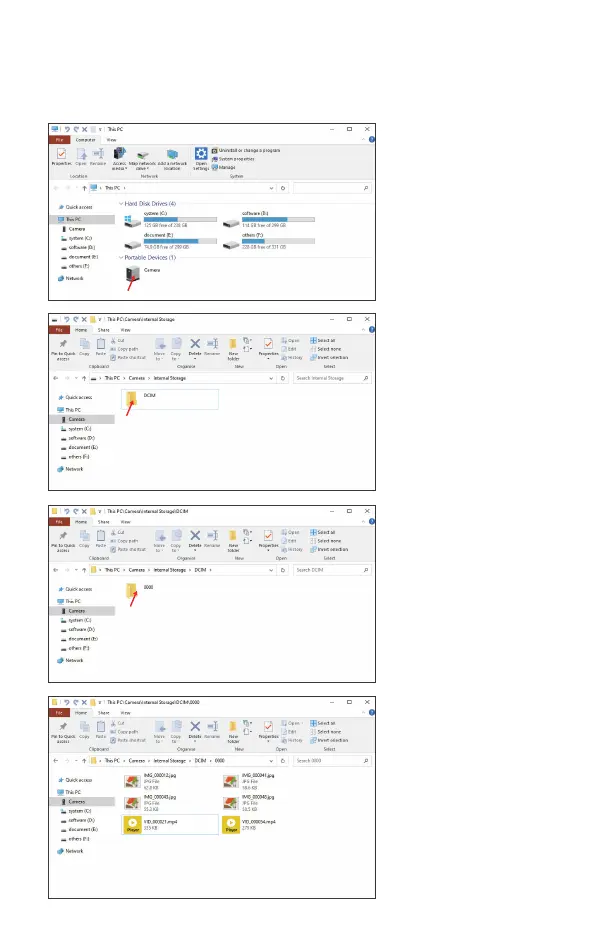
How to replay on PC ?
1.Connect the Type-C usb cable to PC.
2.Turn on WIFI and wait 10s.
5
Open this folder.
A new folder is created each time when you
re-power on the device and take
photo/record video.
Open the folder you will see phots / videos that you took.
You will see a folder name “camera”.


 To Next Page