30
(14) Fader
With these sliders, you set the level of the individual channels. The maximum volume
is realised in controller position "10", the minimum level in position "0". There is one
fader per channel.
CH1 Fader = mono fader for the microphone input L
CH2 Fader = mono fader for the microphone input R
CH3 Fader = stereo fader for the PHONO1 or LINE1 input
CH4 Fader = stereo fader for the PHONO2 or LINE2 input
CH5 Fader = stereo fader for the LINE3, AUX input or TAPE input
(15) Cross fader controller
With the help of this slider, you fade between the two channels CH3 and CH4, mean-
ing the one channel is faded out when moving the slider (becomes quieter) and the
other channel is faded in at the same time (becomes louder).
If the cross fader slider is in the middle position, the channels CH3 and CH4 are
played back equally.
(16) Input selection switch
With this switch, you select the corresponding channel input.
The channels CH3, CH4 and CH5 are each switched with 2 stereo inputs, e.g. CH3
with PHONO1 and LINE1. With the input selection switch, you switch between the
two available inputs. Only the selected input is issued on the channel.
Channel selection switch CH3
Position PHONO1 = signal of the phono input 1 is switched on the channel 3
fader.
Position LINE1 = signal of the LINE input 1 is switched on the channel 3 fader.
Channel selection switch CH4
Position PHONO2 = signal of the phono input 2 is switched on the channel 4
fader.
Position LINE1 = signal of the LINE input 2 is switched on the channel 4 fader.
Channel selection switch CH5
Position LINE3 = signal of the LINE input 3 is switched on the channel 5 fader.
If a tape deck is connected to the TAPE socket (22), the signal of the TAPE input is
also switched on the channel 5 fader.
Position AUX = signal of the AUX input is switched on the channel 5 fader.
55
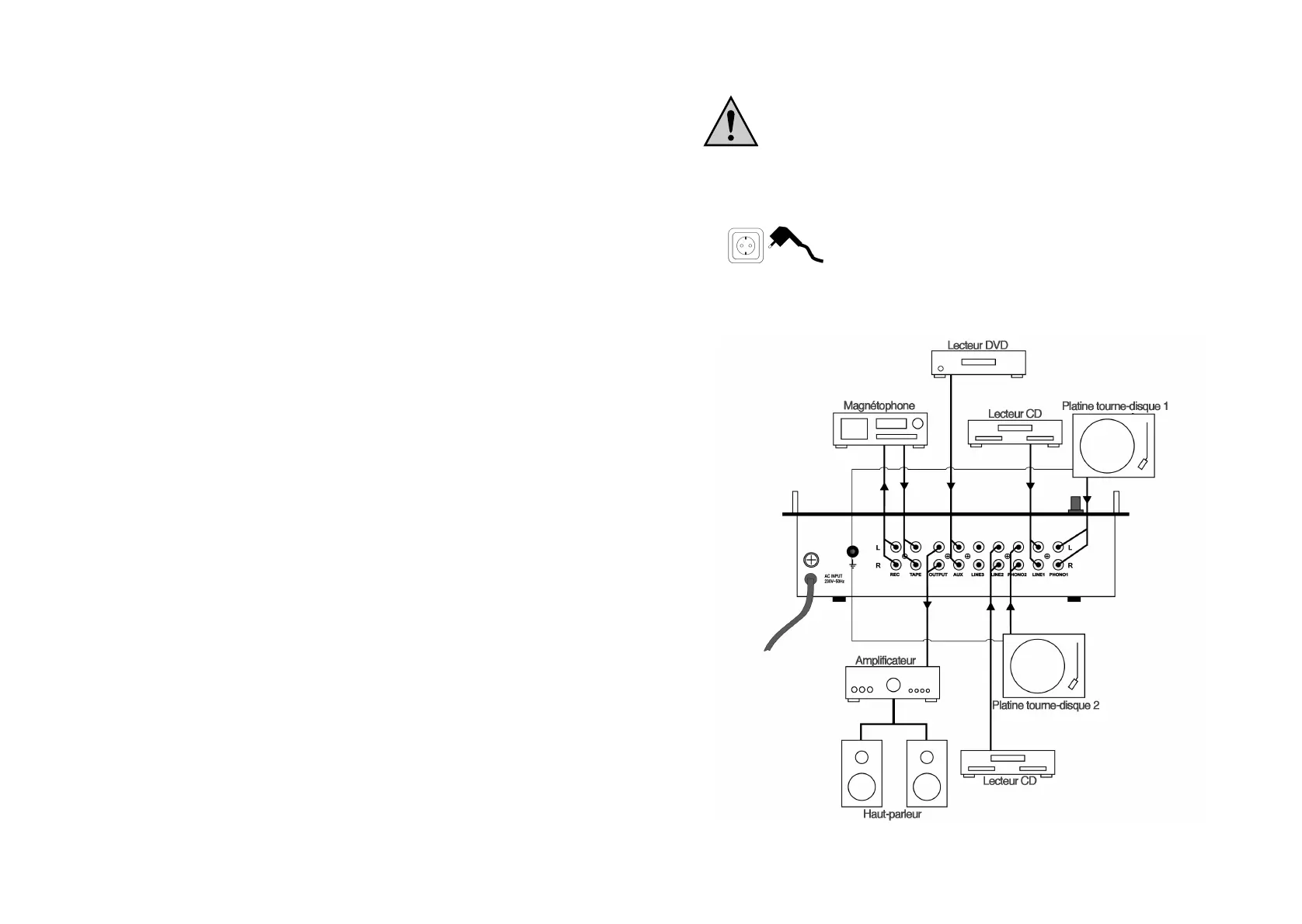
Raccordement de la tension d´alimentation
Veillez à une liaison correcte des conducteurs de protection.
N´utilisez pas de câbles de rallonge pour lesquels il manque le
raccord de conducteurs de protection (danger de mort).
La table de mixage et tous les autres appareils connectés doivent être mis hors
circuit.
Prise de courant
Branchez la fiche de la table de mixage dans une pri-
se de courant domestique de 230V~/50Hz.
Exemple de raccordement :



 To Next Page