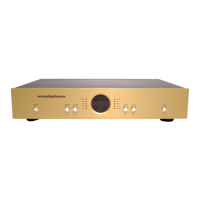
Conrad-Johnson ET3 Preamplifier Owner’s Manual
Phono Stage
The conrad-johnson ET3 preamplifier is optionally available with
your choice of high-gain or low gain phono stages. If your ET3 has
a factory installed phono stage, there will be a label on the back
panel saying “High Gain Phono Card Installed” or “Low Gain
Phono Card Installed”. The phono card itself will be labeled either
“High Gain Phono Card” or “Low Gain Phono Card”. It is important
that the appropriate card is selected for your phono cartridge. The
high-gain phono card is suitable for cartridges with rated outputs of
1 mV or below, while the low-gain card is suitable for cartridges
with rated output of greater than 1 mV. Using a high-gain card with
a cartridge with too high an output will result in highly distorted
sound, as the output of the phono stage will overload the input
circuitry of the line-stage.
Units with high-gain phono cards can be sent to the factory to be
converted to low-gain phono cards, and vice versa. There is a
charge for this service, so inquire before sending the unit.
Both phono cards have adjustable resistive loading. To select a
phono input impedance of less than the factory preset 47 kOhms,
unplug the ET3 from the ac mains and remove the cover. The input
impedance is set by the load selector switches – the two dual inline
pin (dip) switch arrays located near the input connectors at the
back of the ET3. Each dip array includes four switches labeled 1
through 4. Load impedances are selected as follows:
Impedance switch #
1 2 3 4
47 kOhms o o o o
9.6 kOhms x o o o
1.9 kOhms o x o o
500 Ohms o o x o
200 Ohms o o o x
x indicates switch in “on” position
o indicates switch in “off” position
note: off position is indicated by arrow on the body of the switch array.
Be sure to set both switches the same. When done, replace cover.
Do not operate unit with cover off.


 To Next Page
 Loading...