45
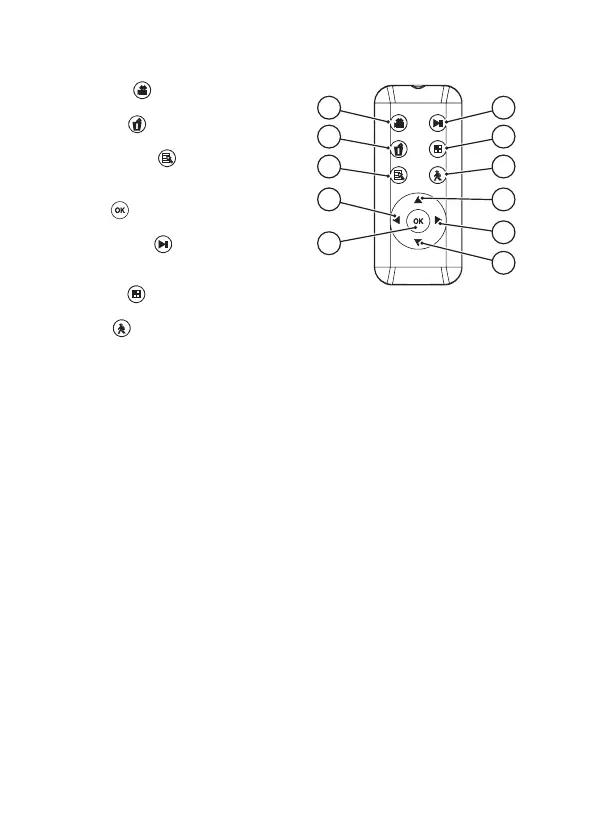
c) Remote control
A) ‘Record’ key
Start/stop manual recording.
B) ‘Delete’ key
Delete selected recordings.
C) ‘Enter/Exit Menu’
Call-up menu/exit menu.
D) ‘Left’ key t (navigation key)
E) ‘OK’ key
Conrmationkey
F) ‘Play/Pause’ key
Call-up recording list/start or pause the record-
ing.
G) ‘QUAD’ key
Display of all 4 camera receive channels.
H) ‘PIR’ key
Activate and/or deactivate motion detection.
I) ‘Up’ key p (navigation key)
J) ‘Right’ key u (navigation key)
K) ‘Down’ key q (navigation key)
A
B
E
D
C
F
G
J
K
I
H



 To Next Page