56
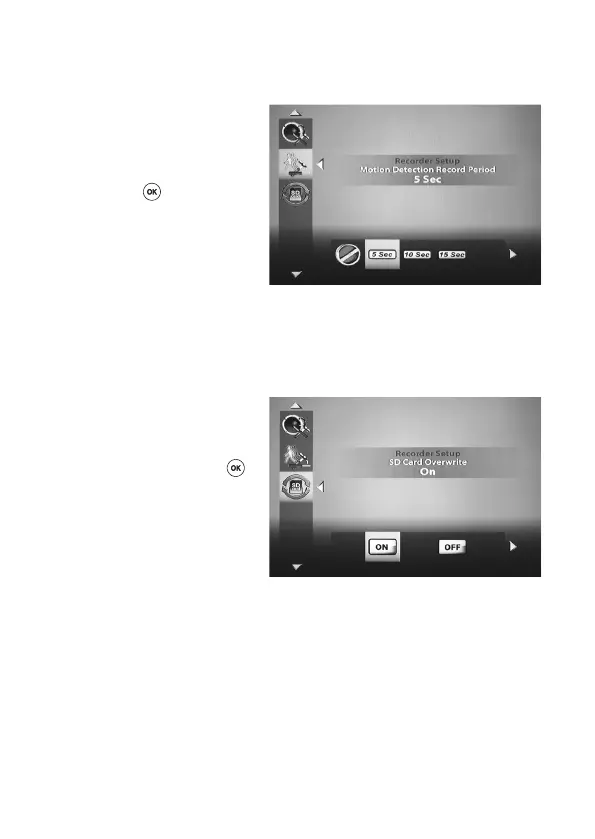
‘Motion Detection Record Period’
You can use this menu to set the duration of the recording at which a motion detection is started.
Using the ‘left’ and/or ‘right’ keys
t u (D, J) on the remote control,
select the desired recording period
from the time of a motion detection
(OFF/5 sec/10 sec/15 sec) and then
press the ‘OK’ (E)keytoconrm.
The motion detection function is deac-
tivated for 5 seconds after a recording
or an alarm that was triggered via mo-
tion detection has been stopped.
‘SD Card Overwrite’
Youcanusethismenutodenewhether,whenacertainstoragecapacityisreached,recorded
data are overwritten or the recording is stopped.
Using the ‘left’ and/or ‘right’ keys t
u (D, J) on the remote control, select
whether ‘SD CARD OVERWRITE’ is
to be activated (ON) or deactivated
(OFF) and then press the ‘OK’ (E)
keytoconrm.
If ‘SD-CARD-OVERWRITE’ is acti-
vated (= ON), the oldest recorded data
will be overwritten when the storage
capacity is reached.



 To Next Page