EasyManua.ls Logo

Conrad GX107 - User Manual

Conrad GX107
100 pages
Go to English
Print Icon
To Next Page IconTo Next Page
Loading...
GSM-Fernschalt-/Alarmmodul
„GX107“
Seite 2 - 49
GSM Remote Control / Alarm Module
„GX107“
Page 50 - 97
Version 01/14
BEDIENUNGSANLEITUNG
OPERATING INSTRUCTIONS
Best.-Nr. / Item No. 199000

Table of Contents

Question and Answer IconNeed help?

Do you have a question about the Conrad GX107 and is the answer not in the manual?

Summary

5. Safety Information

7. Operating Conditions

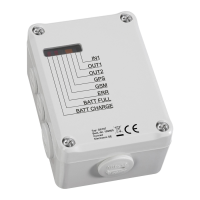
8. Connections and LEDs

9. Commissioning - First Steps

Operating voltage

Setting up the device's power supply.

SIM card preparation

Procedures for preparing the SIM card for the device.

10. Introduction Command Format

11. General Commands

12. Interface Commands

12.1 Switching Outputs On;Off (OUT1, OUT2)

Control output states via text messages.

13. System Commands

14. GPS Application and Commands

14.1 GPS Connection

How to connect the external GPS module.

14.2 Determination of GPS Position

Requesting current GPS coordinates via text message.

14.3 Automatic Position Transmission

Automated periodic location reporting.

14.5 GPS Zone

Setting up geographical zones for alarm triggers.

15. Factory Reset

16. Error Display

19. Technical Data

Conrad GX107 Specifications

General IconGeneral
BrandConrad
ModelGX107
CategoryRemote Control
LanguageEnglish