50
Table of Contents
Page
1. Introduction ................................................................................................................. 52
2. Intended Use .............................................................................................................. 53
3. Scope of Delivery .......................................................................................................54
4. Explanation of Symbols ............................................................................................. 54
5. Safety Information ......................................................................................................55
6. General Notes on Rechargeable Batteries ............................................................... 57
7. Operating Conditions ................................................................................................. 57
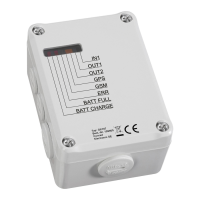
8. Connections and LEDs .............................................................................................. 58
9. Commissioning - First Steps ...................................................................................... 62
10. Introduction Command Format .................................................................................. 65
11. General Commands ................................................................................................... 67
11.1 Status Request ........................................................................................................... 67
11.2 Alarm Mode ................................................................................................................ 68
11.3 Saving Phone Numbers ............................................................................................. 69
11.4 Changing the Device Name....................................................................................... 71
11.5 Setting the Language ................................................................................................. 71
11.6 Changing the SIM-PIN ............................................................................................... 72
11.7 Email ........................................................................................................................... 73
12. Interface Commands .................................................................................................. 74
12.1 Switching Outputs On/Off (OUT1, OUT2) ................................................................. 74
12.2 Optocoupler Input (IN1) ............................................................................................. 75
12.3 Analogue Input (ADC) ................................................................................................77
12.4 Call (INCALL) ............................................................................................................. 80
12.5 Operating Voltage Monitoring .................................................................................... 82


 To Next Page