Manual Electrophoresis Power Supply, rev. 32/2018
10
Running condition
Display
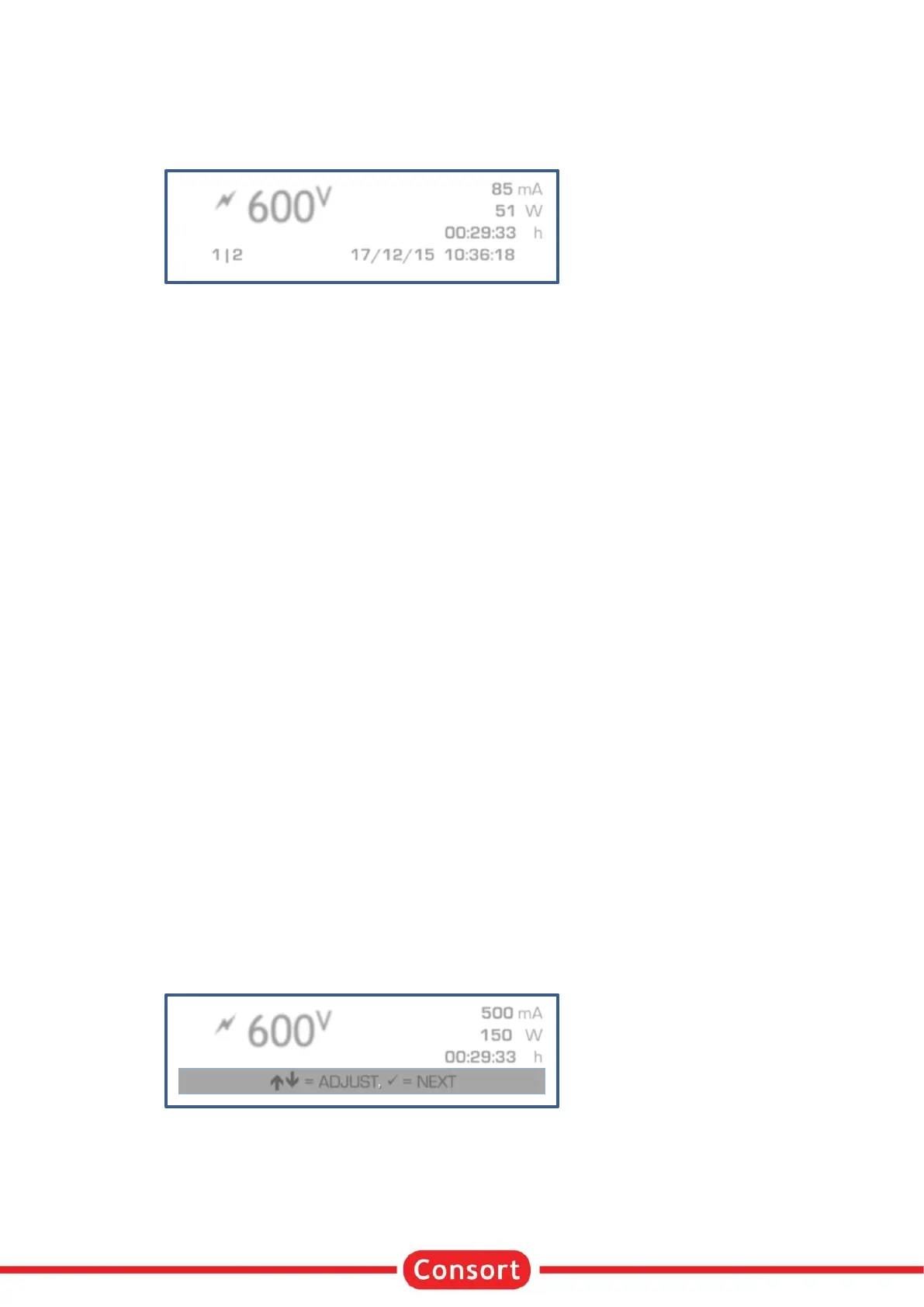
When running an experiment, the display allows to see the actual parameters. It is divided into three fields:
• The upper left field shows:
o a flashing symbol to indicate there is a possible dangerous condition on the output
sockets. Avoid to contact the outlet sockets and cables!
o the highlighted measured parameter. Use the keys to choose another parameter in this
field.
• The upper right field shows the other 3 parameters.
• The bottom line shows date and time at the right and the actual combination of method and step at
the left when such a procedure is running, no indication when running a manual procedure.
• The bottom line is also used for system or error messages when required.
More details to be read:
• The unit of the parameter that is being kept constant is given with flashing bold characters.
• The timer field counts down to show to the remaining time.
• The timer will count upwards when no timer value has been pre-set. The procedure will run
continuously until / is begin pressed or the device is switched off.
• When performing a method with multiple steps will the display show 2 different symbols in the
combination of the method and the step:
o / A step with Voltage gradient.
o A step with a pre-set fixed maximum Voltage.
Buttons
The keys can be used as follows:
• = Buttons for selecting another parameter in the upper left corner of the display.
• ✓ = Button to modify the parameters.
• / = Button to stop or to pause the procedure.
Adjusting parameters
During the run
It is possible to modify the pre-set maximum parameters while running. These modifications are temporarily
and are not stored in the non-volatile memory. It is not possible to modify the settings of a Voltage gradient
step.
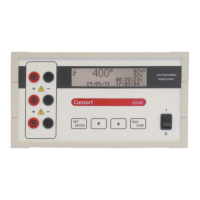
• Press ✓ to enter the mode to adjust:
• The display shows the values set for V, mA, and W. The timer remains counting down when a timer
value has been set.
• Choose the limit to adjust with the ✓ button.
• Adjust the value with the buttons.
• The display will return automatically to the normal run mode when no button is pressed for 5
seconds.



 To Next Page