5
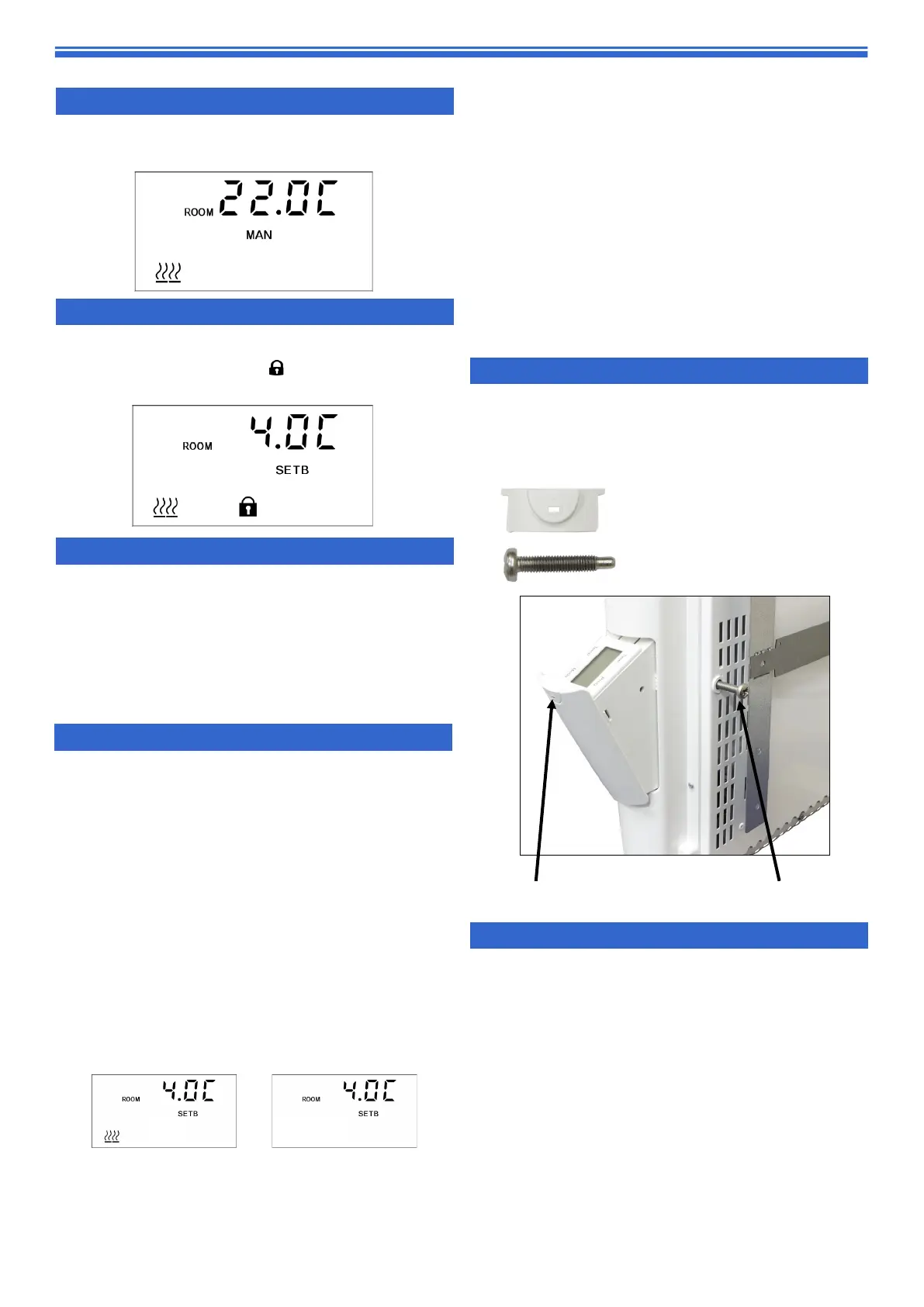
Locking tab
Locking screw
10. Optional PLK1 Locking Device
- Locking screw
- Locking tab
The PLK1 locking device can be used to mechanically
lock the controls to prevent tampering with settings. As it
is not supplied with the heater, kindly contact our Sales
team if required.
11. Mounting
Please refer to illustrations in Fig.1 for wall
mounting.
Remove wall bracket from the heater. Fix wall bracket to
wall using screw holes provided. Present heater to
bracket. Locate heater onto bottom lugs via 2 sets of
relevant slots in rear panel. Hinge heater upwards and
locate the top tabs into the slots in the back of the
heater and ‘click’ into position. The heater MUST not be
powered until it is in this position.
To remove the heater from the wall first disconnect the
power then press down on the two top tabs to release
the heater. Hinge the heater forward on the bottom
lugs. The heater can be now lifted off the bottom lugs to
remove it from the wall. The heater must not be located
immediately below a fixed socket outlet.
6. Heat symbol
Every time there is a demand for heat, the dis-
play will show the heat icon.
7. Keys Locking
Press and hold + and - together for 5 seconds.
The display will show the symbol. Repeat
the step to unlock.
8. Setting the time and day
The PLE will come set with the correct time and
day. It has an internal battery back up that
can remember the settings. It will automatical-
ly change the clock to adjust the British sum-
mer time.
Should you need to alter the time, see the sec-
tion 17 “set-up menu”.
9. Open window detection
Ensuring you don’t waste energy on heating
the outside world, the heater is equipped with
optional open / closed window detection. The
heater recognises sudden drops in tempera-
ture when a window or a door is opened and
turns the heating off to save energy. When the
window is closed, the heater will automatically
detect a temperature rise, and switch itself
back on. Once enabled in the setup menu,
the open window detection is fully automatic
and does not require any human intervention
to be activated. When open window detec-
tion has been triggered, the heat symbol will
flash on/off as shown below.
The system has been factory set to default
time and temperature values. If necessary, all
values can be adjusted. When the heating is
on, open window detection sensor will auto-
matically switch the heater off when it detects
a fall in temperature of 2°C in less than 10
minutes (this temperature can be changed in
menu 8 and time in menu 7). If a temperature
rise of 2°C in less than 30 seconds is detected,
the heater will switch itself back on (this tem-
perature can be changed in menu A and time
in menu 9).


 To Next Page
 Loading...