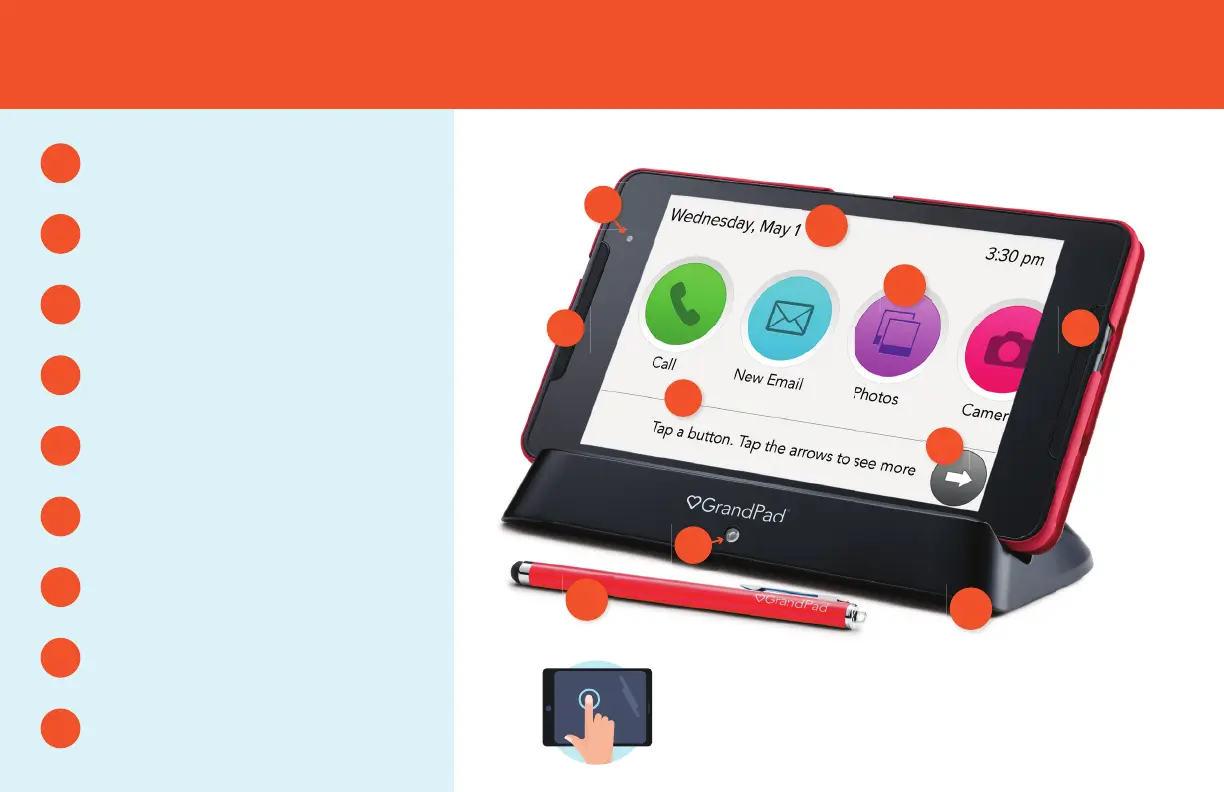
GET TO KNOW YOUR GRANDPAD
Home Screen
C
C
Home Screen Buttons
Selects an App
G
G
Arrow Buttons
Moves the page left or right
H
H
Page Instructions
Tips for navigating the page
I
I
Front Facing Camera
Video calls & photos of you
D
Speakers
E
E E
Charge Indicator
Charging when lit
F
F
Charging Cradle
B
B
Stylus
A
A
D
TOUCHSCREEN
Your finger can be used as a tool—touch a
button to select it or touch the screen and
swipe to move to the next page.


 To Next Page