
 Need help?
Do you have a question about the Consumer Cellular GrandPad and is the answer not in the manual?
Plug the charging cradle into a wall outlet. A green light indicates power.
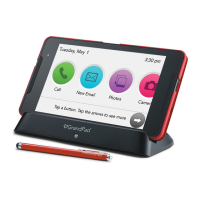
Place the GrandPad in the charging cradle. The front light turns white when charging.
Your GrandPad will automatically turn on and be ready for use.
Use your finger to touch buttons to select or swipe to navigate pages.
 General
| Operating System | Android |
|---|---|
| Rear Camera Resolution | 5MP |
| RAM | 2GB |
| Connectivity | Wi-Fi, 4G LTE |
| Processor | Quad-Core |
| Display Resolution | 1280 x 800 pixels |

 To Next Page