DEVICE INSTALLATION
1. Connect the power cord
10
Insert the small end of the power cord into the Power Input port
on the back of your Wireless Home Phone Base.
Plug the power cord into an electrical wall
outlet that is not powered by a wall switch.
Insert the small end of the power cord into the Power
Input port on the back of your Wireless Home
Phone Base.
Plug the power cord into an electrical wall outlet
that is not powered by a wall switch.
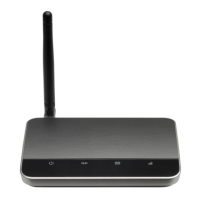
Raise the antenna in the upright position.
Confirm signal strength light is green for
optimal performance. Yellow indicates a
moderate signal and may be sufficient.
2. Check the wireless signal
Signal Strength


 To Next Page
 Loading...