EasyManua.ls Logo

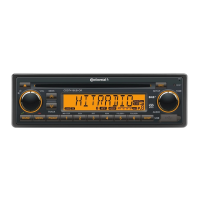
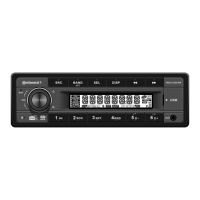
Continental Refrigerator TRD312UB-WH - User Manual

Continental Refrigerator TRD312UB-WH
8 pages
Print Icon
To Next Page IconTo Next Page
Loading...
10.8V~16V DC
OWNER'S MANUAL
1
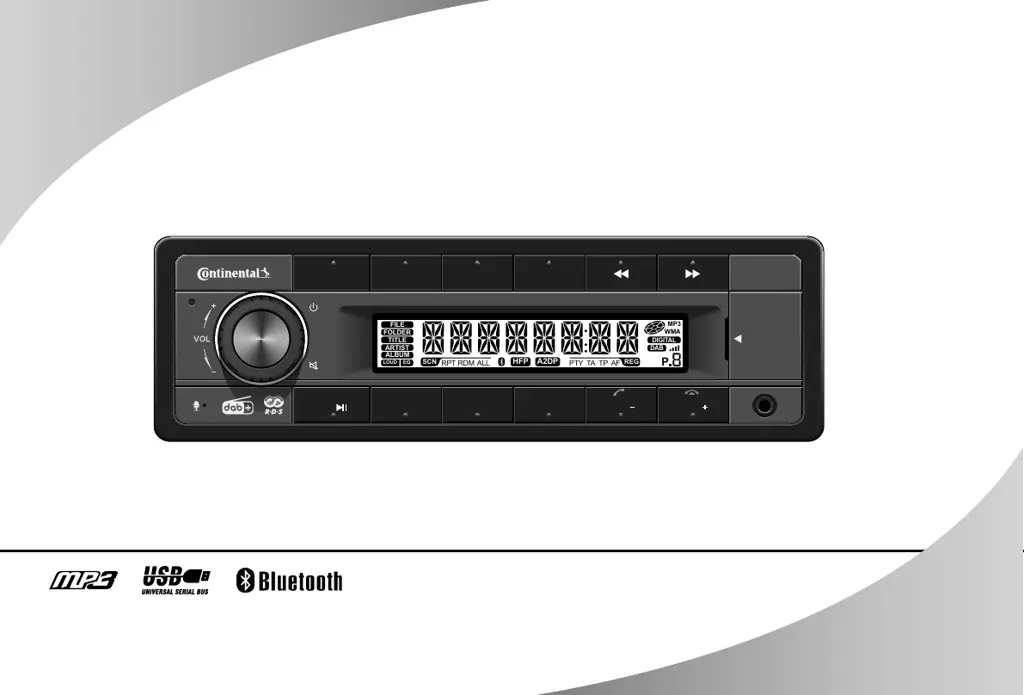
AUX
RST
SCN
2 RND
4
D
6
RPT
3
D
5
USB
AST
SELBANDSRC DISP
P
DIGITAL
DAB
FILE
TITLE
ARTIST
ALBUM
LOUD
EQ
MP3
WMA
RPT RDM TA TPPTYALL AF
REGSCN
HFP
A2DP
FOLDER
TR D 3 1 2 U B - W H
TRD312UB-WH

Questions and Answers

  • J
    jacobmooreAug 12, 2025
    What to do if my Continental Refrigerator Car Receiver won't turn on?
    • B
      Benjamin NelsonAug 12, 2025
      If your Continental Refrigerator Car Receiver isn't powering on, there are a few things to check: * Ensure your car ignition is switched on by turning the car key in the ignition. * Verify that the cable is properly connected. * Inspect the fuse and replace it with a new one of the same capacity if it's burnt.
  • T
    Teresa ScottAug 16, 2025
    Why is there no sound coming from my Continental Refrigerator Car Receiver?
    • Z
      Zachary WhiteAug 16, 2025
      If you're not getting any sound from your Continental Refrigerator Car Receiver, the volume might be set too low, or the mute function could be activated. Check the volume level and switch the mute function off.
  • K
    kimberly98Aug 20, 2025
    What to do if my Continental Refrigerator Car Receiver is unable to receive stations?
    • M
      Mrs. Sandra Vargas DDSAug 20, 2025
      If your Continental Refrigerator Car Receiver isn't picking up any stations, the antenna might not be properly connected. Make sure the antenna is securely connected.
  • A
    Amber BakerAug 23, 2025
    Why are my preset stations lost on my Continental Refrigerator Car Receiver?
    • K
      Kristy DaughertyAug 23, 2025
      If you're losing your preset stations on your Continental Refrigerator Car Receiver, it could be due to a loose battery cable. Ensure the permanent live wire on the unit is connected to the permanent live wire on the vehicle.
  • R
    robertstravisAug 27, 2025
    What to do if my Continental Refrigerator Car Receiver unit or screen does not work normally?
    • J
      Jamie HillAug 28, 2025
      If the Continental Refrigerator Car Receiver unit or screen isn't functioning as expected, the system might be unstable. Try pressing the RESET button.
  • P
    pedro54Aug 31, 2025
    Why is the reception quality poor on my Continental Refrigerator Car Receiver?
    • K
      Kelly CollinsAug 31, 2025
      If you're experiencing poor reception quality on your Continental Refrigerator Car Receiver, the antenna might not be fully extended or could be damaged. Fully extend the antenna, and if it's broken, replace it with a new one.
  • I
    igarciaSep 3, 2025
    What to do if I am unable to insert USB device into my Continental Refrigerator Car Receiver?
    • E
      Erin PattonSep 4, 2025
      If you're having trouble inserting a USB device into your Continental Refrigerator Car Receiver, it might be oriented the wrong way. Try inserting it the other way around.
  • J
    jorge79Sep 8, 2025
    Why can't my Continental Refrigerator Car Receiver read my USB device?
    • H
      Hailey DavisSep 8, 2025
      If your Continental Refrigerator Car Receiver can't read your USB device, the file system format might be incompatible. Ensure that the file system is in FAT or FAT32 format. Note that due to format differences, some storage device models or MP3 players might not be readable.

Summary

Safety Information

Precautions

General safety warnings and precautions for operating the unit.

Caution

Specific warnings about not opening or repairing the unit yourself.

Specifications

General Specifications

Provides general technical specifications like power supply, output, fuse, weight.

Radio Specifications

Details frequency ranges and technical parameters for FM and AM radio.

Bluetooth Specifications

Details frequency range and output power for Bluetooth connectivity.

Before Operation

Panel Controls

Power, Volume, and Source Controls

Explains the power button, volume knob, and audio source selection button.

Radio and Tuning Controls

Details band selection, auto-search, and preset buttons.

Playback and Navigation Controls

Describes buttons for track/folder selection, playback modes, and USB navigation.

Display and System Controls

Covers display information and system setup access buttons.

Button Tips

Basic Operations

Guides on using power, volume, mute, and mode selection buttons.

Tuning and Playback Controls

Explains radio tuning, MP3 track/folder skipping, and fast forward/reverse.

System and Sound Settings

Details system setup access, station memory storage, and audio/EQ adjustments.

Bluetooth Functions

Pairing and Call Management

Steps for pairing, receiving, and hanging up calls via Bluetooth.

Bluetooth Music Streaming

Explains A2DP for audio playback and track control.

USB Function Summarization

USB Device Handling

Instructions for inserting, removing, and basic USB device compatibility.

USB File System and Features

Details supported formats, capacity, and file limitations for USB playback.

Troubleshooting

General Unit Issues

Solutions for problems like no power, no sound, or system instability.

Radio Reception Issues

Troubleshooting steps for poor radio reception and lost presets.

USB Playback Issues

Solutions for problems with USB device insertion and file readability.

FCC Information

FCC Compliance and Operation

Details FCC rules, operational conditions, and modifications.

Radiation Exposure Statement

Outlines FCC radiation exposure limits and installation recommendations.

Continental Refrigerator TRD312UB-WH Specifications

General IconGeneral
BrandContinental Refrigerator
ModelTRD312UB-WH
CategoryCar Receiver
LanguageEnglish

Related product manuals