14
TV Operation and System Setup
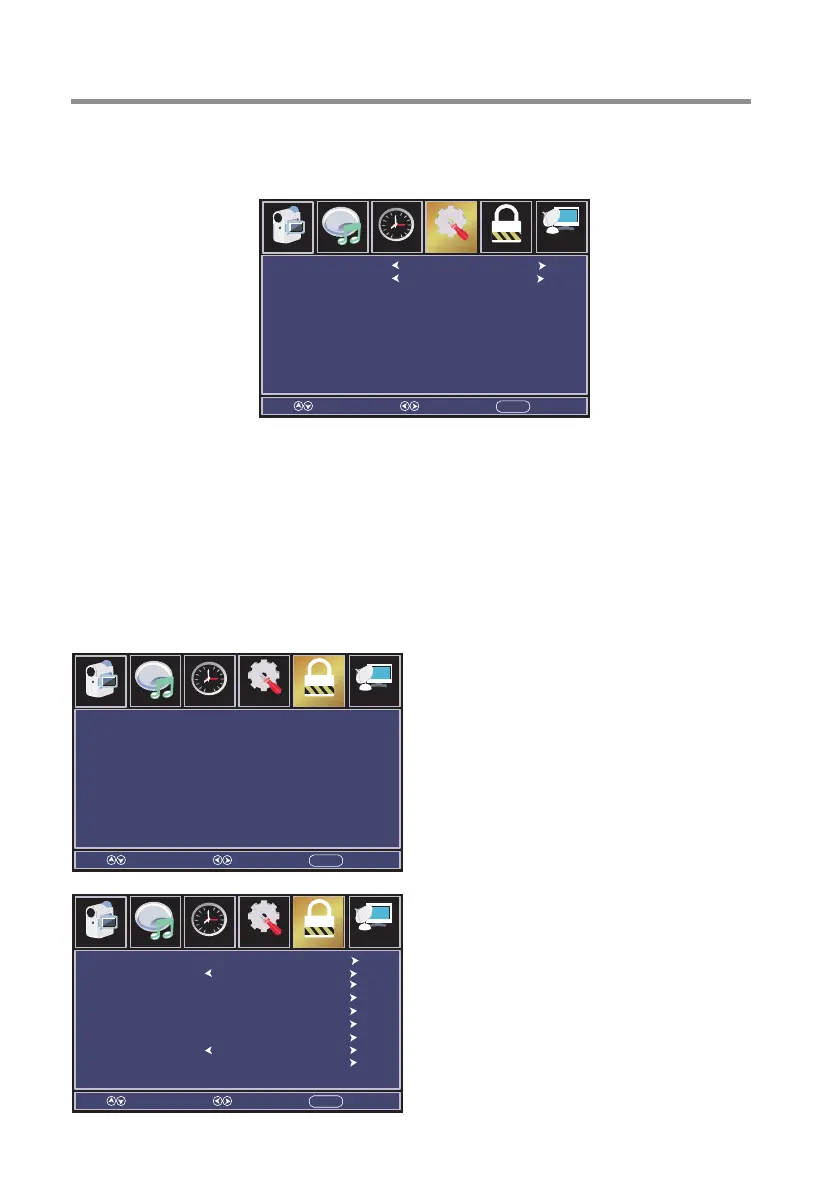
Other Settings
Set the parameter of audio only, no signal power off and no operation power off.
Press OK / ► button to enter.
Restore Default
Reset TV settings to factory defaults.
Press OK / ► button to enter.
Setup Wizard
This option allows the user to run the initial setup wizard again.
Press OK / ► button to enter.
Enter your 4-digit password. Default password is 0000.
Parental Menu
Press MENU button to display the main menu, press◄/►button to select Parental.
Press ▼/▲ button to select submenu.
Press ◄ / ► button to adjust options.
Press MENU button to back the previous menu.
Enter Password ----
Select Move EXITMENU
Channel
Audio
Picture
Time
12
6
Setup Parental
Change Password
System Lock
Input Block
US Rating
Canada Rating
RRT Setting
Reset RRT
Remote
Commercial Menu
Select Move EXITMENU
Off
TV1
ChannelAudio
Picture
Time
12
6
Setup Parental
Blue Screen
AC Power State
Select Move EXITMENU
On
Off
Parental ChannelAudio
Picture
Time
12
6
Setup



 To Next Page