20
TV Operation and System Setup
TV Menu
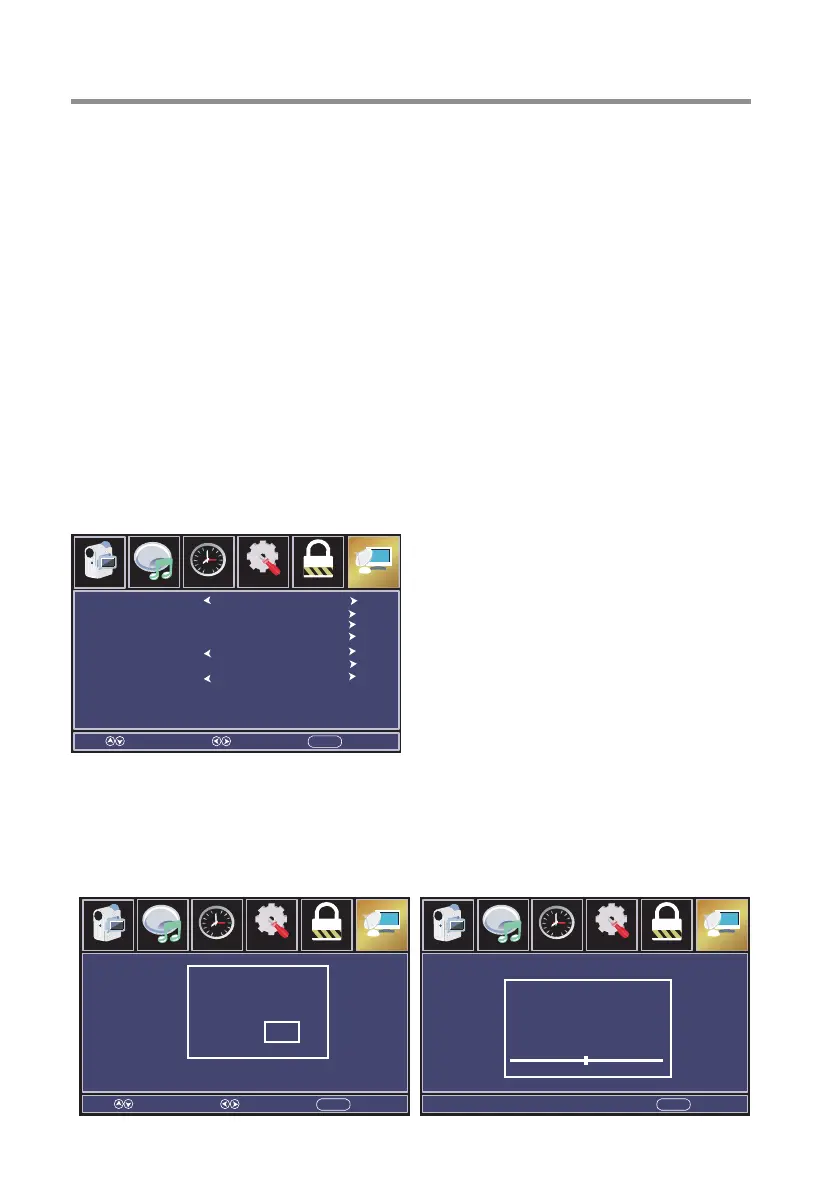
Press MENU button to display the main menu, press◄/►button to select TV.
Press ▼/▲ button to select submenu.
Press ◄ / ► button to adjust options.
Press MENU button to back the previous menu.
Air/Cable
Auto Scan
Channel List
Show/Hide
Channel Number
Channel Label
Auto Channel Scan
Select Move EXITMENU
Air
Off
ParentalAudio
Picture
Time
12
6
Setup Channel
Air/Cable
Select signal type.
Press ◄ / ► button to select(Air/Cable).
Auto Scan
Automatically search for channels.
Press OK / ►button to enter.
Are you sure to
Auto Scan?
No YES
Select Move EXITMENU
Parental
Audio
Picture
Time
12
6
Setup Channel
Analog
Air
Digital
RF CH
Found
:
:
:
:
--
--
8
0
EXITMENU
Parental
Audio
Picture
Time
12
6
Setup Channel
[On/Off Timer]
This option can be used to set a daily timer to turn the TV on or off automatically (useful
for lobbies or other public viewing areas).
[Info Show]
This option can be used to set Info show.
Press ◄/► button to select.
[Audio Output]
This option can be used to set Audio output.
Press ◄/► button to select.
[Reset Commercial]
Executing this command will reset all commercial features contained within the
Commercial Menu to their factory default settings.



 To Next Page