Step 5: Reset to Factory Seng/Calibrate Gyroscope
— Push the joyscks into the 7 o’clock (le joysck) & 5 o’clock (right joysck)
posion.
— Lights will rapidly blink and change to a steady light.
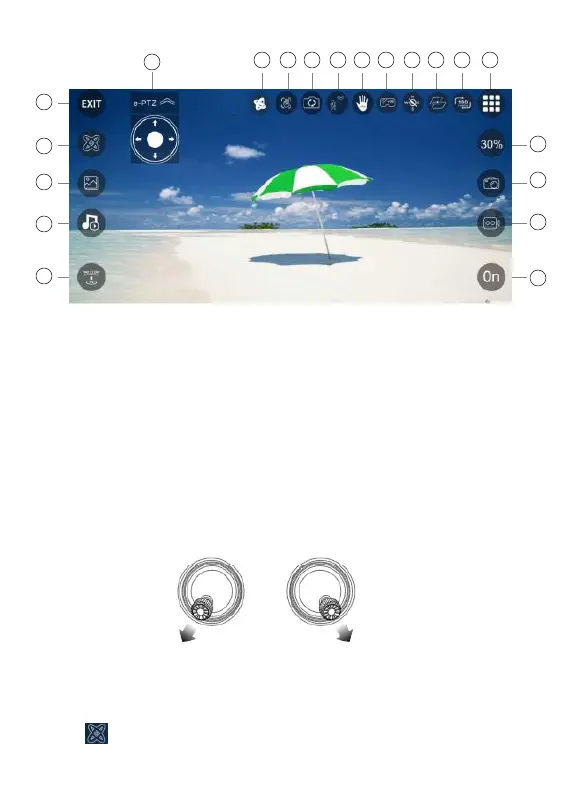
1. Gravity Control Mode
2. Hand Gesture
3. Switch Front and Boom Camera
4. Follow Me Mode
5. Palm Follow
6. VR Split Screen
7. Headless Mode
8. Flight Path
9. Flip Screen
10. Hide/Display Buon
11. Switch Speed
12. Take Photo
13. Take Video
14. APP Control On/Off
15. Exit
16. Calibrate Gyroscope
17. Gallery
18. Entertainment Mode
19. One Key Take-off/Landing
20. Adjust Perspecve
- 14 -
APP Introducon
Or click “ ” on the app when the drone is under APP control.
1 2 3 4 5 6 7 8 9
10
11
15
16
17
18
19
20
12
13
14



 To Next Page