Vertical-Screen Aerial Photograph
Click the Vertical-screen Aerial Photograph icon in the "Shooting Function" on the right
side of the preview page of the app and the mobile screen will appear vertical on the
screen.
Time-Lapse Photography
1. Click the app function page, Shooting Function - Time - Lapse Photography
2. Slide to select the Delay Magnification and click 0K.
3. Click the to start time-lapse photography.
4. Click the again to finish shooting.
Panoramic Shooting
1. Click the app function page and select the
2. Click the button.
E.
3. The aircraft will rotate in a circle (360-degrees) to complete panoramic
shooting, the software will automatically synthesize a panoramic picture, and save it in
the photo album. When successfully finished shooting, a prompt message will pop up.
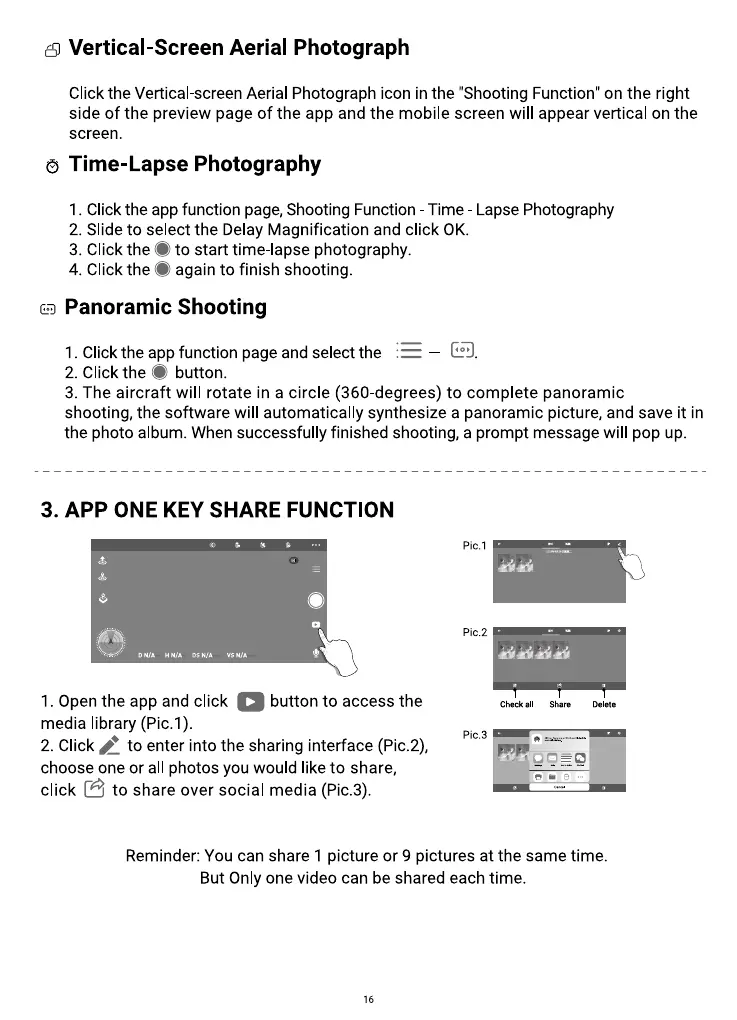
3. APP ONE KEY SHARE FUNCTION
ON/A H N/A Ds Nia vsN/a
I. Open the app and click button to access the
media library (Pic.l).
2. Click to enter into the sharing interface (Pic.2),
choose one or all photos you would like to share,
8
to share over social media (Pic.3).
click
Pic.l
PiC.2
Check all Share
pic.3
Delete
Reminder: You can share 1 picture or 9 pictures at the same time.
But Only one video can be shared each time.
16



 To Next Page