5.
How to use your heater
5
Setting the thermostat
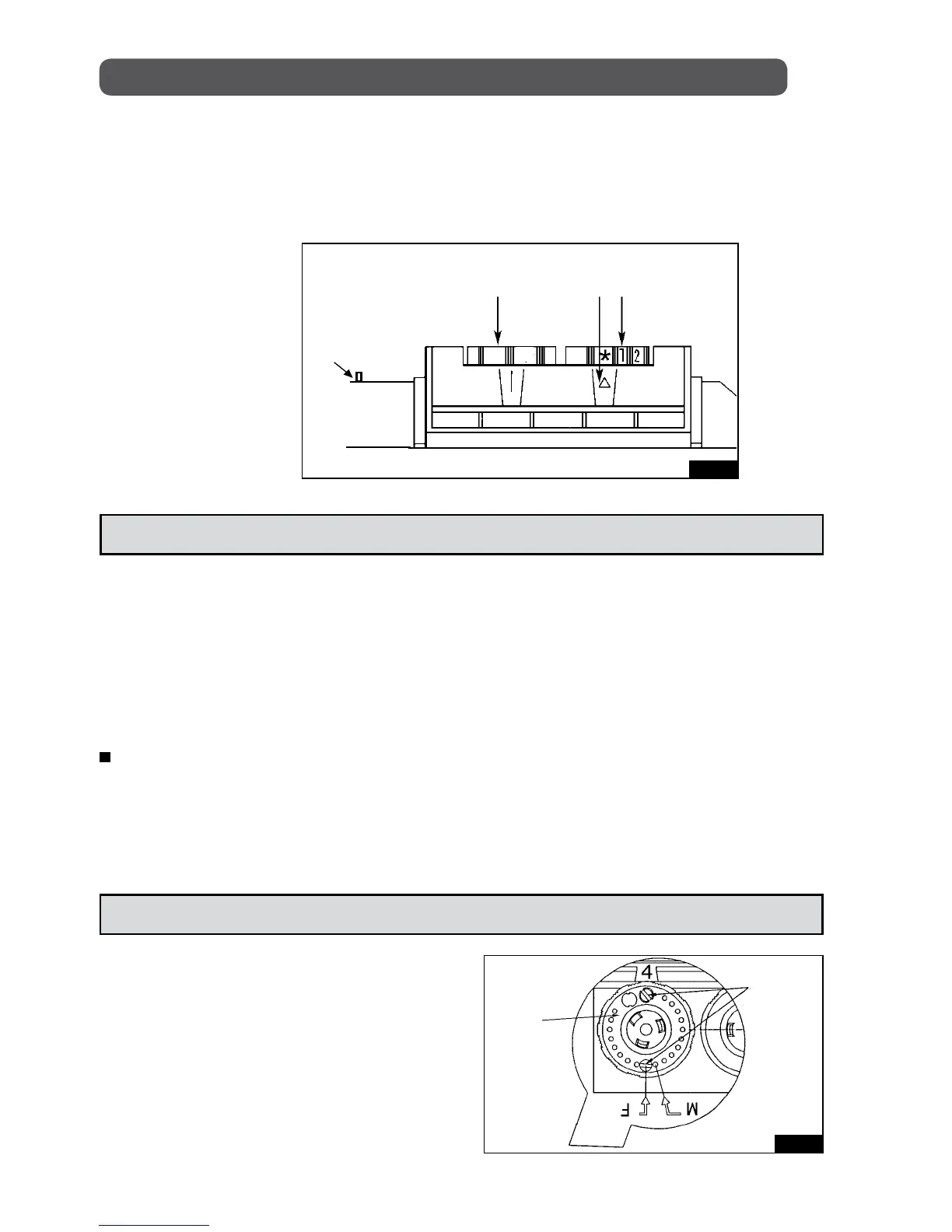
To set thermostat, adjust setting dial on the control panel (Figure 4), to the desired
comfort level (between 5 and 7).
After approximately an hour of use, if adjustment is not satisfactory, slightly
turn the setting dial either clockwise to increase temperature or counter
clockwise to lower it.
When the CONVECTAIR is on, it cycles every 25-30 seconds. The red
indicator light tells you when heat is on. The CONVECTAIR will always remain
warm and ambient temperature will remain constant. It is normal in very cold
temperatures the unit could become hot. Caution is advised when young
children are present.
Figure 4
MANUEL RESET
FUNCTION SELECTOR
INDICATOR
LIGHT
SETTING
DIAL
ON
The ON/OFF switch is installed on the control panel of the CONVECTAIR
(Figure 4). The unit will only operate when switch is in the ON position. An
internal indicator light is located next to the thermostat setting dial. It will glow
a red light to show that heat is on (this indicator may not be visible under bright
lighting conditions).
Locking the setting dial
First, detach the unit from the wall
brackets. Behind the setting dial, two
pins are provided. Remove the pins
with pliers by rotating gently. To lock the
setting dial, insert a pin in front of the
"F" mark. To block the setting between
the minimum and a desired maximum
setting, insert a pin in front of the "M"
mark (Figure 5).
SETTING
DIAL
LOCKING
PINS
Figure 5


 To Next Page