Issue 2
04/05/2021
9
To use
1. Fully unwind the cable, plug in and switch on.
2. Place the food to be cooked or defrosted in a suitable microwave
safe container and cover. Press the door button to open the
microwave door and place the container in the centre of the glass
turntable.
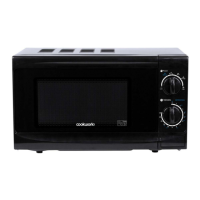
3. Securely close the microwave door and turn the power knob to
select the power level of choice.
4. Select the cooking time (minutes) required for the food type or
recipe. Follow the ‘on pack’ guidelines. If selecting a time below
2 minutes, turn the timer past 2 minutes and then back to the
correct time.
5. If defrosting, select the power level and then using
the timer dial to select the defrost time.
6. The microwave will start automatically once the timer has been
set.
7.
Cooking / defrosting can be interrupted to stir the food or check
progress by opening the door. Settings will be retained and
cooking will restart when the door is closed.
8. After the cooking time has finished, a bell will sound and the
microwave will turn off automatically.
9. Allow food to stand for 30 seconds to one minute before stirring
or serving.
10. The microwave can be stopped at any time by turning the timer
to ‘0’ or by opening the door.
Notes:
-
When not in use, always ensure that the timer is set to ‘0’.
-
Never operate the oven when empty as this could result in
overheating and damage to the magnetron.


 To Next Page
 Loading...