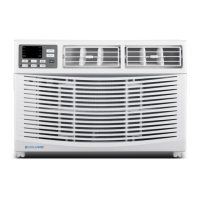
The Cool Living CL-TTW-10 and CL-TTW-14 are electronic through-the-wall air conditioners designed for efficient cooling and heating (on some models). This manual provides comprehensive instructions for operation, maintenance, and troubleshooting to ensure proper care and longevity of the unit.
Function Description
The air conditioner offers several operating modes to suit various comfort needs:
- Cooling Mode: This is the primary function for reducing room temperature. Users can set a desired temperature, and the unit will operate to achieve and maintain it.
- Heating Mode (on some models): For models equipped with heating, this mode allows the unit to warm the room. Similar to cooling, a desired temperature can be set.
- Fan Only Mode: When cooling or heating is not required, this mode circulates room air without engaging the compressor. This is useful for ventilation or simply moving air around. Users can select various fan speeds (FAN 1, FAN 2, FAN 3, FAN 4) or an AUTO fan setting.
- Energy Saver Mode: This feature is designed to reduce energy consumption. In this mode, the fan may continue to run for a short time after the compressor cycles off to optimize efficiency.
- Auto Mode: In Auto mode, the unit automatically selects the appropriate operating method (cooling or heating) and fan speed based on the room temperature to maintain a comfortable environment. The set temperature is not displayed in this mode.
- Sleep Mode: This mode is designed for comfortable sleep. When activated in cooling or energy saver modes, the set temperature will gradually increase by 1°C in the first hour and another 1°C in the second hour. In heating mode, the set temperature will decrease by 1°C in the first hour and another 1°C in the second hour. This function is not available in Fan Only and Auto modes.
- Timer-Delay Start/Stop Feature: This allows users to program the unit to turn on or off after a specified delay. The delay time can be adjusted in 0.5-hour increments up to 10 hours, then in 1-hour increments up to 24 hours. This is useful for pre-cooling or pre-heating a room before arrival or for turning off the unit after a certain period.
- 4-Way Directional Louvers: These adjustable louvers allow users to direct the airflow up, down, left, or right, ensuring even distribution of conditioned air throughout the room.
Usage Features
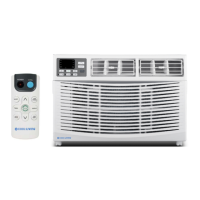
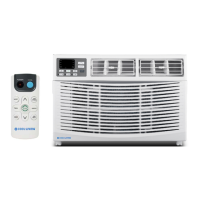
The air conditioner can be controlled via its control panel (touch pad) on the unit or the included remote control.
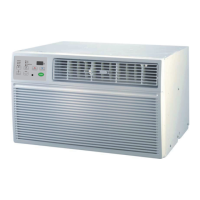
- Control Panel (Touch Pad): The control panel features buttons for MODE, FAN SPEED, TEMPERATURE/TIME adjustment (UP/DOWN arrows), and ON/OFF. An LED display shows the current temperature or time settings.
- Remote Control: The remote control provides convenient access to all functions from a distance. It includes buttons for ON/OFF, MODE, FAN SPEED, SWING, SLEEP, TIMER, and temperature adjustment. The remote control also features a LOCK function to prevent accidental changes.
- Temperature Setting: Users can set the desired temperature using the UP/DOWN arrows. The unit will maintain the temperature between 61°F (16°C) and 86°F (30°C) for both cooling and heating modes.
- Fan Speed Selection: Multiple fan speeds (Low, Med, High) are available in most modes, along with an Auto Fan option. The Auto Fan feature automatically adjusts the fan speed to maintain optimal comfort based on the set temperature.
- Swing Function: The SWING button on the remote control activates or deactivates the automatic oscillation of the louvers, further enhancing air distribution.
- Fahrenheit/Centigrade Switch: The unit allows users to switch between Fahrenheit and Centigrade temperature displays by holding the "-" and "MODE" keys simultaneously when the unit is off.
- Protective Time Delay: After a power interruption, the unit will automatically restart. There is a protective time delay of approximately 3 minutes to prevent compressor overload, meaning normal cooling may not resume immediately after power is restored.
- LCDI Power Cord and Plug: The air conditioner is equipped with a Leakage Current Detection and Interruption (LCDI) power cord and plug for enhanced safety. This cord will disconnect power if a leakage current is detected, reducing the risk of fire or electric shock. Test and Reset buttons on the plug allow users to verify its proper functioning.
Maintenance Features
Regular maintenance is crucial for the efficient and safe operation of the air conditioner.
- Air Filter Cleaning: The air filter should be checked at least once a month. A dirty filter can restrict airflow and reduce cooling efficiency. To clean, remove the filter by pulling down on the indents of the filter door, wash it with liquid dish soap and warm water, rinse thoroughly, and let it dry completely before reinserting. Alternatively, the filter can be vacuumed.
- Cabinet Cleaning: The cabinet and front panel can be dusted with an oil-free cloth or washed with a cloth dampened in a solution of warm water and mild liquid soap. It should be rinsed thoroughly with a damp cloth and wiped dry. Harsh cleaners, wax, or polish should not be used on the cabinet front. Care should be taken to wring excess water from the cloth to avoid damage to the controls.
- Winter Storage: For extended periods of non-use, especially during winter, the unit should be carefully removed from the window (following installation instructions) and covered with plastic or stored in its original box.
- Troubleshooting Guide: The manual includes a comprehensive troubleshooting section to help users identify and resolve common issues such as the unit not starting, not cooling, water dripping, or error codes (F1, F2, F4, FJ). This guide provides possible causes and solutions, often recommending contacting a service center for more complex problems.
- Battery Replacement: Instructions are provided for replacing the batteries in the remote control, emphasizing the use of new batteries and correct polarity. Old or different batteries should not be mixed, and batteries should be removed if the remote control will not be used for a long time to prevent leakage.
- Wear and Tear Prevention: To minimize wear on the air conditioner, it is recommended to wait at least 3 minutes before changing modes. This helps prevent compressor overheating and circuit breaker trips.

 Need help?
 General


 To Next Page