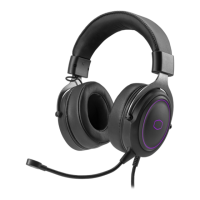
Please charge your new headphone for at least 2 hours before using for the first time.
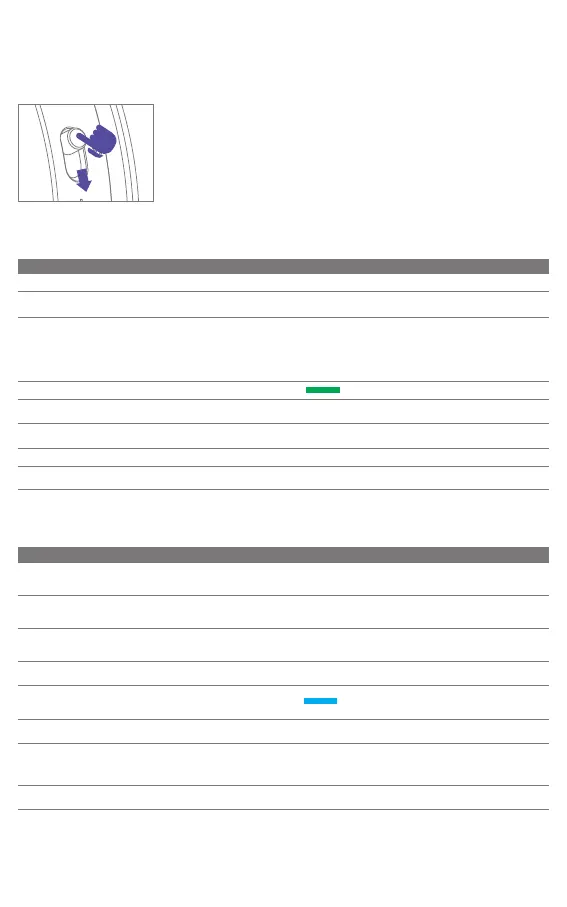
ATTENTION
MFB
PRESS
PUSH
2.4GHz Connect
Function LED Status Voice Prompt
Power On
●Red LED flashes once Power on
/
Instruction / Description
Push and hold "MFB" for 2 seconds
Power on and enter to connection
searching
●.●.●.●.●.●. Green LED
slow flash
Connecting
Manual Pairing
●●●●●●Green LED
fast flash
Pairing
Connected
Connection mode
Connected
Connect Fail
●.●.●.●.●.●. Green LED
slow flash for 5 minutes
/
Disconnect
Power off after 5 minutes
Unplug the dongle
●.●.●.●.●.●. Green LED
slow flash for 5 minutes
Disconnect
2.4GHz and BT Switch
As connection status Low Latency or Bluetooth
Power off
Under power on, press "MFB" twice
Under power on, Push and hold "MFB"
for 4 seconds
●●Red LED fast flash
twice and off
Power off
*It's already be paired at factory, please
avoid using when not necessary.*
Power on then press "MFB" for 6 seconds
Insert a paper clip or a SIM-eject tool into
the hole back of the dongle for 6 seconds.
Bluetooth Connect
Function LED Status Voice Prompt
Power Off Power off
Instruction/Description
Under power on, Push and hold
"MFB" for 4 seconds
Power On
● Red LED flashes once
Power on -> Bluetooth
With pairing record:
Auto enter while switching from
2.4GHz mode to Bluetooth
●.●.●.●.●.●. Blue LED
slow flash
BT Searching
●●●●●● Blue LED fast flash
Pairing
Connection status
Blue LED steady
●.●.●.●.●.●. Blue LED slow
flash for 5 minutes
Connected
*w/ 3 devices
pairing record*
Disconnect Disconnect
/
Disconnect with device, power off
after 5 minutes disconnected
BT Devices Switch
*W/ a pairing record for
more than 2 devices, the
maximum is 3 devices*
Under BT mode, press "MFB"
once to switch
●● Blue LED fast flash
twice and off
●● Red LED fast flash
twice and off
When switch to BT mode, it will
automatically to pairing stauts if the
headset doesn't have pairing record
Push and hold "MFB" for 2 seconds
to power on then press "MFB" twice
enter to BT mode
Pairing
*The 1st device
only*
●●●●●● Blue LED fast flash
Pairing
Under power on, press "MFB" for 6
seconds
Manual Pairing
Device one Connected /
Device two Connected /
Device three Connected
Device One, Device Two,
Device Three
Green LED steady



 To Next Page