Need help?
Do you have a question about the Cooler Master V8 Series and is the answer not in the manual?
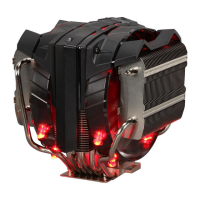
Identifies all parts included with the Cooler Master V8 Series CPU cooler, labeled A through N.
Instructions for initial preparation including applying thermal paste to the CPU.
Details on attaching the mounting bracket (B) for various AMD CPU socket types.
Securing the cooler to the motherboard using bracket (C) and screws (I) for AMD installations.
Completing the AMD installation by tightening nuts (J) with the provided tool (N).
Installing the mounting bracket (D) for Intel LGA 1366, 115x, and 775 sockets.
Attaching the cooler using standoffs (K) for Intel LGA 1366, 115x, and 775 sockets.
Securing the cooler with standoffs (L) for Intel LGA 2066, 2011-v3, and 2011 sockets.
Finalizing Intel installations using bracket (E) and screws (I) for various LGA sockets.
Tightening nuts (M) with the provided tool (N) for all Intel socket installations.
Connecting the CPU cooler fan to the motherboard's 4-pin connector.
Provides contact details for Cooler Master support in different regions and links to their official website.
 General
| Heatsink Material | Aluminum fins with copper base |
|---|---|
| Fan Speed | 800 - 2000 RPM (PWM) |
| Fan Connector | 4-Pin PWM |
| CPU Socket | AMD AM3+/AM3/AM2+/AM2/FM2+/FM2/FM1 |
| Fan Dimensions | 140 x 140 x 25 mm |
| Type | CPU Cooler |
| Fan Size | 140mm |

 To Next Page