3
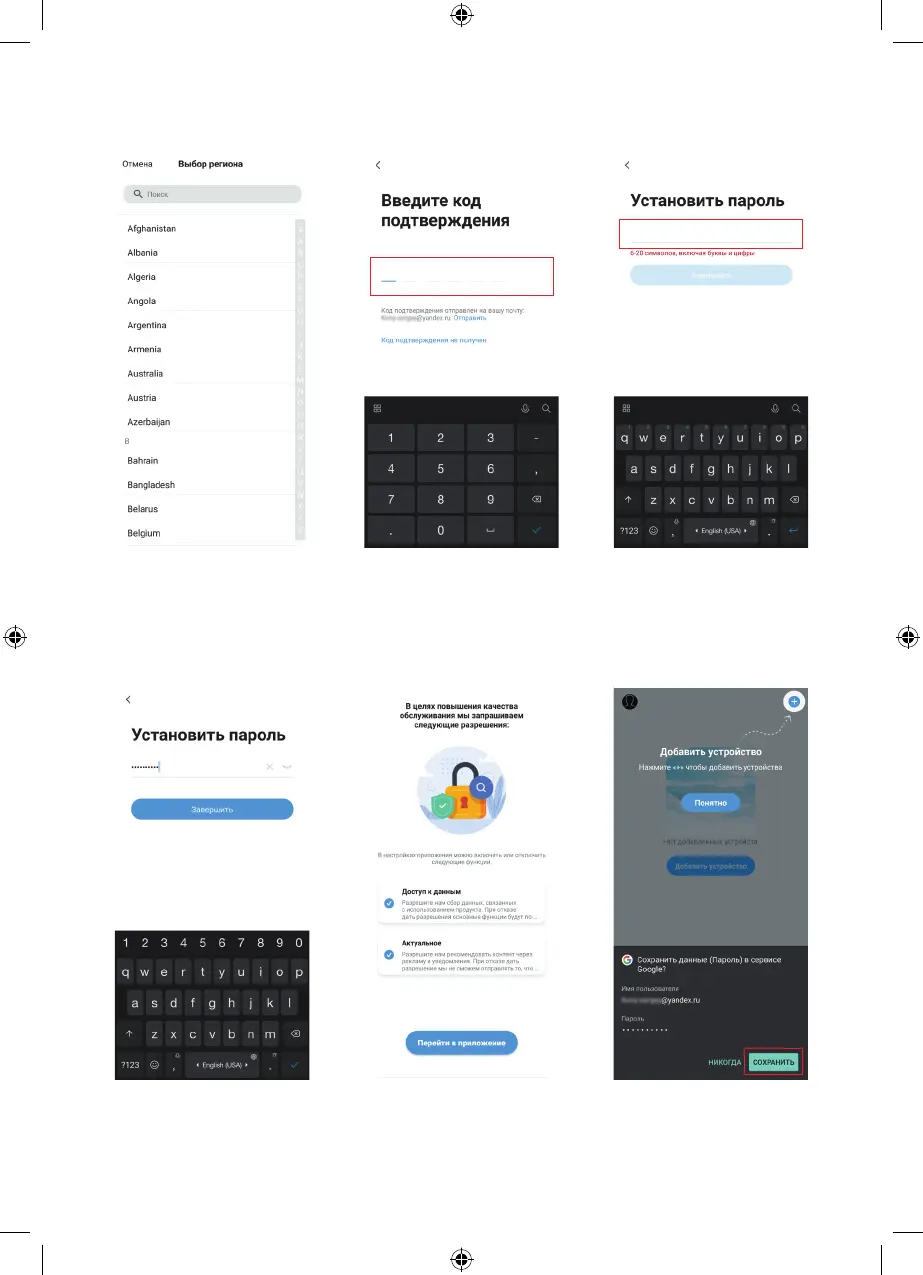
Step 3
Enter your email address.
If your country is different from
the default one, you can change
it by clicking on the indicated area.
Step 6
Create a password for logging
in the app.
Step 4
Select your country
of residence.
Step 7
Click «Finish».
Step 5
Click on the «Get a verification
code» button (see step 3)
and enter the received
confirmation code.
Step 8
Confirm the proposed
permissions (check the boxes)
and click «Go to application».
Step 9
You can save your registration
data on the Google service.
Follow further instructions.


 To Next Page