Manufacturer: Dieyun Innovation Technology Co., LTD., No. 20,
Sanjiang Industrial Zone, Hengli Town, Dongguan city
Website: www.coolkiller.com
Email: support@coolkiller.com
Instagram: https://www.instagram.com/coolkiller_keyboard/
Twitter: https://twitter.com/coolkillerkbd
Youtube: https://www.youtube.com/@coolkillerkeyboard
Brand owner: Dongguan Nexa Sound Innovation Technology Co.,Ltd
List of goods:
Keyboard ×1
Data cable x 1
Balloon 84
Double-ended key extractor×1
Color box x 1
Balloon 84 specification
Key count:84
Connecting port:USB Type-C
Mode: Wired /2.4G/ Bluetooth three-mode connection
Button: Hot-swap is supported
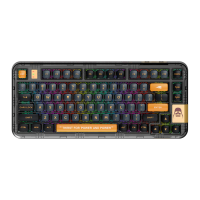
Product name:Balloon 84
Product weight:870g
Bluetooth name:Balloon 5.0/Balloon 3.0
Lighting: White light
Sound pack: shaft underpad + sandwich silicone + bottom silicone
1.Connect Bluetooth
2.Connecting wire
3.2.4Gmode
4.Change modulation effect
FN+\ Main backlight effect switch
FN+ENTER Turn off/on the backlight
5.Charging
Charging state
*1. The working current of the light is 120MA and the sustainable time is about 30 hours
(continuous operation)
*2. The working current when the light is off is 40MA and the sustainable time is about
120 hours (continuous operation)
*3. Standby current 0.5MA, standby time about 250 days
*4. The keyboard will enter standby mode if there is no action for 2 minutes.
Press any key to start the keyboard and enter working mode.
6.Reconnect
1.Keyboard startup defaults to the last connected device
2.FN+1(FN+2,FN+3) white light flashes slowly and then connects
*The keyboard must have been paired with the device before
this function can be implemented
7.Storage and use environment
1.Storage temperature:-20℃~+70℃
2.Operating temperature:-20℃~+60℃
3.Storage humidity: non-condensing relative humidity 30%RH to 95%RH
8.Compatible system:
Support operating system:ANDROID/IOS/Win XP/Win7/Win8/Win10/WIN 11/MAC
Switch the keyboard to wired mode by pressing FN+5.
Sho r t p r e ss F N + 4 (4 ke y s s l ow f la s h) , th e n l o ng
pres s FN + 4 ( 4 keys fas t fl ash ) to p ut t he ke y board
int o 2. 4 G m o de w ith back lig ht t urn e d off.
Af ter suc ces sfu l pai rin g, t h e 4 ke ys w ill rema in l it
for 2 se con ds, resto rin g th e bac kli ght .
Fn Combined function key(WIN System)
9.Custom driver
Scan the code to download the driver
Tip: The driver only supports customization in wired and wireless modes
(MAC operating system supports only wired customization)
10.Troubleshooting
1.Make sure the product's USB wireless receiver is properly plugged into
the USB port on your computer.
2.Ensure computer meets system requirements.
3.The product and the wireless receiver exceed the effective connection
distance. Please reduce the distance between the product and the receiver.
Receiver storage bin x 1
Distribution key cap x 5
Fn
Esc
Press and hold 3s to restore
factory Settings
Fn
Previous song
Fn
Sound off
Fn
Volume plus
Fn
Volume down
Fn
F1
multimedia
Fn
Next song
F2
F3
F4
F5
F6
Fn
Pause/play
F7
Fn
Stop
Fn
Short press Bluetooth 1 to
connect back Long press
Bluetooth 1 to pair
Fn
The Calculator
Fn
Computer
Fn
WEB
Fn
Mail
F8
F9
F10
F11
F12
1
Fn
2
Fn
3
Fn
4
Short press 2.4G back connection,
Press and hold 2.4G to pair
Fn
Main backlight effect switch
Fn
Query battery
Fn
WIN The lock
Fn
5
Switch wired mode
Win
Back
\
Fn
Pause
Fn
End
Fn
Main backlight
brightness plus
P
O
↑
Fn
Main backlight
brightness decreased
Fn
Turn off the backlight
Fn
Main backlight speed plus
Fn
Main backlight speed
decreased
Enter
↑
↑
↑
Fn
Esc
Press and hold 3s to restore
factory Settings
Fn
F5
Fn
F4
Fn
F3
Fn
F2
Fn
F1
F1
Fn
F6
F2
F3
F4
F5
F6
Fn
F7
F7
Fn
F8
Fn
Fn
F12
Fn
F11
Fn
F10
Fn
F9
F8
F9
F10
F11
F12
1
Fn
2
Fn
3
Fn Combined function key (MAC System)
Fn
4
Short press 2.4G back connection,
Press and hold 2.4G to pair
Fn
5
Switch wired mode
Fn
Main backlight effect switch
Fn
Query battery
Back
\
Fn
Pause
Fn
End
Fn
Main backlight
brightness plus
P
O
↑
Fn
Main backlight
brightness decreased
Fn
Main backlight speed plus
Fn
Main backlight
speed decreased
Fn
Turn off the backlight
Enter
↑
↑
↑
MAC function key
Backlight brightness decreased
Task console
Back to desktop
Screen brightness plus
F1
Screen brightness decreases
Backlight brightness plus
F2
F3
F4
F5
F6
Previous song
F7
Pause/Play back
Volume plus
Volume down
Sound off
Next song
F8
F9
F10
F11
F12
Lighting and system indication
If you are a MAC user, please flip the system switch to change the MAC
system indicator to light green (on for 1 minute and then off).
If you are a WIN user, please flip the system switch to change the system
indicator of WIN system to light red (on for one minute and then off).
1
Power switch
(built-in lithium battery)
2
System transfer switch
1
2
System indicator light
Charging light
Caps Lock light
WIN lock light
Charging time: 4 hours
3 4
5
6 7
3
4
5
6
7
Type-CCharging port
Product size:329.3*143.9*32.8MM
Battery parameters: polymer battery3500mAh
Input current:5V 2A
Warn:
If the battery is not replaced properly, there may be leakage or explosion and
personal injury.
Do not use the battery under conditions of leakage, discoloration, distortion,
or any other abnormality.
Do not leave the battery discharged or unused for a long period of time.
Do not short-circuit the product.Battery life varies with use, and end-of-life
batteries should be disposed of in accordance with local laws.
Or dispose of it in trash cans used to recycle electronic devices.
If any liquid accidentally enters the product, disconnect the power supply
immediately and remove the product.Continued use may cause fire or electric
shock, please contact the agent or customer service in time to check and repair.
Domestic official website:
https://www.coolkiller.cn/
Overseas official website:
www.coolkiller.com
Fn Combined function key (MAC System)
Fn Combined function key(WIN System)
Short press FN + 1/2/3 (1/2/3 keys slow flash), then long
press FN + 1/2/3 (1/2/3 keys fast flash) to put the keyboard
into pairing mode. The backlight is in the off state. The
pairing name of the keyboard is Balloon 5.0/Balloon 3.0.
After successful pairing, keys 1/2/3 will stay lit for 2 seconds,
and the backlight will be restored.
Short press Bluetooth 2 to
connect back Long press
Bluetooth 2 to pair
Short press Bluetooth 3 to
connect back Long press
Bluetooth 3 to pair
Short press Bluetooth 1 to
connect back Long press
Bluetooth 1 to pair
Short press Bluetooth 2 to
connect back Long press
Bluetooth 2 to pair
Short press Bluetooth 3 to
connect back Long press
Bluetooth 3 to pair


 To Next Page
 Need help?
 General