EasyManua.ls Logo

CoolKiller GK75 - User Manual

CoolKiller GK75
4 pages
Print Icon
To Next Page IconTo Next Page
Loading...
FN Key combination Function list
WIN:
FN+ESC
FN+FI
FN+F2
FN+F3
FN+F4
FN+F5
r-N+F6
Reset
Multimedia
Volume
Volume t
Volume mute
Last song
Next song
FN+E7
FN+F8
FN+F9
FN+EIO
FN+FII
FN+F12
Pauseplayback
CDStop
Email
My Computer
Calculator
FOR POWERANO P
MAC:
FN+ESC
FN+FI
FN+F2
FN+F3
FN+F4
FN+F5
r-N+F6
Reset
Fl
r-N+E7
FN+F8
FN+F9
FN+EIO
FN+FII
FN+F12
FIO
Fl I
WIN/MAC:
FN+I
FN+2
FN+3
FN+4
FN+5
FN+ENTER
FN+J
FN+k-
FN+Y
FN+U
EN+H
FN+J
FN+N
FN+M
Bluetooth 1
Bluetooth 2
Bl ietooth 3
2.4G mode
Wiredmode
Switchbacklight
Lightmodeswitch
Monochromelight switch
Backlightbrightnesst
Backlightbrightness
Backlightspeedreduction
Backlightspeedplus
Pa rtsc
Scrlk
Pause
Ins
Home
End
02
Question and Answer IconNeed help?

Do you have a question about the CoolKiller GK75 and is the answer not in the manual?

Overview

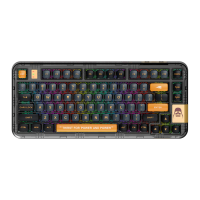
This document describes the CoolKiller GK75 keyboard, detailing its key combinations, connection methods, and lighting settings.

Function Description

The CoolKiller GK75 keyboard offers a wide range of functions accessible through FN key combinations, catering to both Windows and Mac operating systems.

Windows FN Key Combinations:

  • FN+ESC: Reset
  • FN+F1: Multimedia
  • FN+F2: Volume Down (↓)
  • FN+F3: Volume Up (↑)
  • FN+F4: Volume Mute
  • FN+F5: Last Song
  • FN+F6: Next Song
  • FN+E7: Pause Playback
  • FN+F8: CD Stop
  • FN+F9: Email
  • FN+E10: IE (Internet Explorer)
  • FN+F11: My Computer
  • FN+F12: Calculator

Mac FN Key Combinations:

  • FN+ESC: Reset
  • FN+F1: F1
  • FN+F2: F2
  • FN+F3: F3
  • FN+F4: F4
  • FN+F5: F5
  • FN+F6: F6
  • FN+E7: F7
  • FN+F8: F8
  • FN+F9: F9
  • FN+E10: F10
  • FN+F11: F11
  • FN+F12: F12

WIN/MAC Universal Key Combinations: These combinations control connectivity, backlight, and other system functions.

  • FN+1: Bluetooth 1
  • FN+2: Bluetooth 2
  • FN+3: Bluetooth 3
  • FN+4: 2.4G Mode
  • FN+5: Wired Mode
  • FN+ENTER: Switch Backlight
  • FN+、: Light Mode Switch (Keyboard lighting mode change)
  • FN+<: Monochrome Light Switch
  • FN+↑: Backlight Brightness Up (↑)
  • FN+↓: Backlight Brightness Down (↓)
  • FN+←: Backlight Speed Reduction
  • FN+→: Backlight Speed Plus
  • FN+Y: PrtSc (Print Screen)
  • FN+U: ScrLk (Scroll Lock)
  • FN+H: Pause
  • FN+J: Ins (Insert)
  • FN+N: Home
  • FN+M: End

Usage Features

The CoolKiller GK75 keyboard supports multiple connection modes: Bluetooth, 2.4G wireless, and wired.

Bluetooth Mode: To enter Bluetooth pairing mode, press and hold the FN+1, FN+2, or FN+3 key combination for 3 seconds. The corresponding 1/2/3 indicator will flash quickly, indicating pairing mode. Once connected to a device, the indicator will remain on for 3 seconds. If no device is connected, the lights will turn off, and the keyboard will enter sleep mode.

2.4G Mode: To activate 2.4G wireless mode, press and hold the FN+4 key combination for 3 seconds. The indicator light will flash quickly. Insert the 2.4G dongle into your computer. The keyboard will exit pairing mode after a successful connection. If a paired device is not found within 30 seconds, the indicator light will turn off, and the keyboard will go to sleep.

Wired Mode: To switch to wired mode, press and hold the FN+5 key combination for 3 seconds. Connect the keyboard to your device using a USB cable.

Keyboard Lighting Settings: The keyboard offers extensive backlight customization:

  • FN+、: Cycles through different keyboard lighting modes.
  • FN+<: Switches to a monochrome light mode.
  • FN+Enter: Toggles the backlight on/off.
  • FN+↑: Increases backlight brightness.
  • FN+↓: Decreases backlight brightness.
  • FN+←: Reduces the backlight animation speed.
  • FN+→: Increases the backlight animation speed.

Maintenance Features

The document does not explicitly detail maintenance features beyond the "Reset" function (FN+ESC for both Windows and Mac). Regular cleaning and proper handling are generally recommended for keyboard longevity. The sleep mode functionality in Bluetooth and 2.4G modes helps conserve battery life when the keyboard is not in use or disconnected.

CoolKiller GK75 Specifications

General IconGeneral
BrandCoolKiller
ModelGK75
CategoryKeyboard
LanguageEnglish

Related product manuals