Keyboardconnection
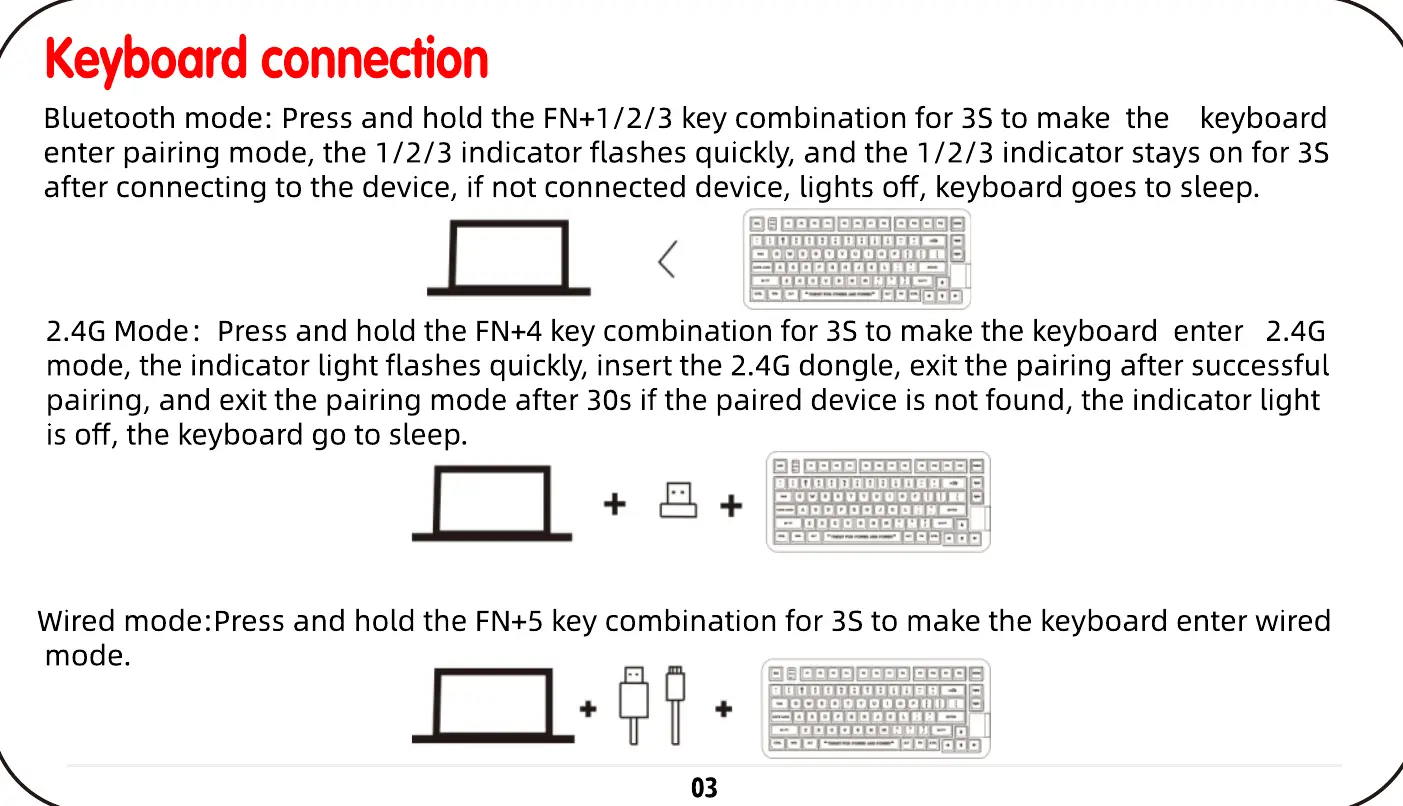
Bluetooth mode: Press and hold the FN+1/2/3 key combination for 3S to make the keyboard
enter pairing mode, the 1/ 2/3 indicator flashes quickly, and the 1/ 2/3 indicator stays on for 3S
after connecting to the device, if not connected device, lights off, keyboard goes to sleep.
gggg ;
.euøuuuouuuuege.
—gggpppp.gp.g.oog•. g
• ggggga O.
2.4G Mode: Press and hold the FN+4 key combination for 3S to make the keyboard enter 2.4G
mode, the indicator light flashes quickly, insert the 2.4G dongle, exit the pairing after successful
pairing, and exit the pairing mode after 30s if the paired device is not found, the indicator light
is off, the keyboard go to sleep.
eeøg ;
Wired mode:Press and hold the FN+5 key combination for 3S to make the keyboard enter wired
mode.
gagp gggg gggg
NUUUUUBUUUUBUA =
egg..
03


 To Next Page