Keyboard lighting settings
:CAPS
" THIRST FOR POWER AND POWER"
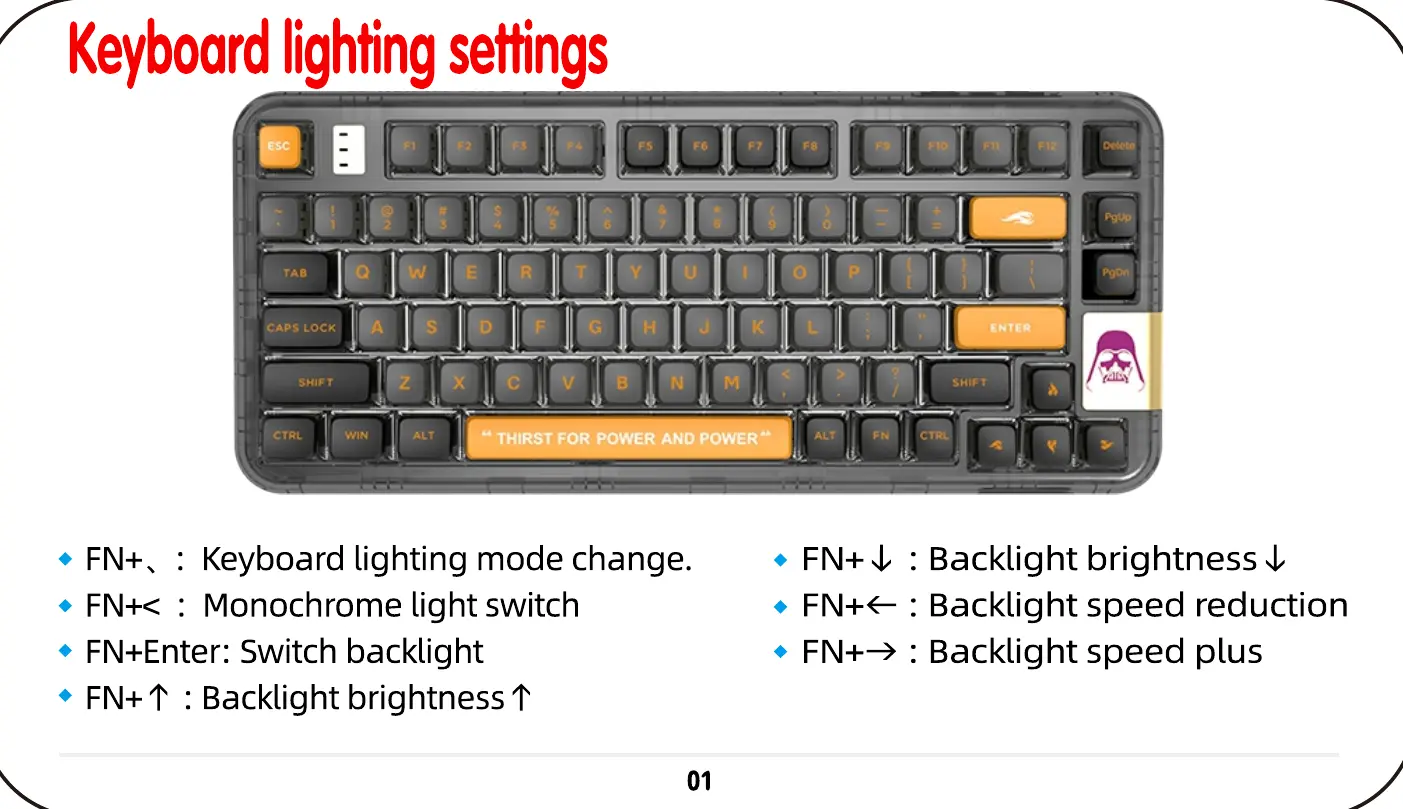
Keyboard lighting mode change.
FN+< : Monochrome light switch
• FN+Enter: Switch backlight
• FN+T : Backlight brightness t
01
Backlight brightness U
Backlight speed reduction
Backlight speed plus


 To Next Page