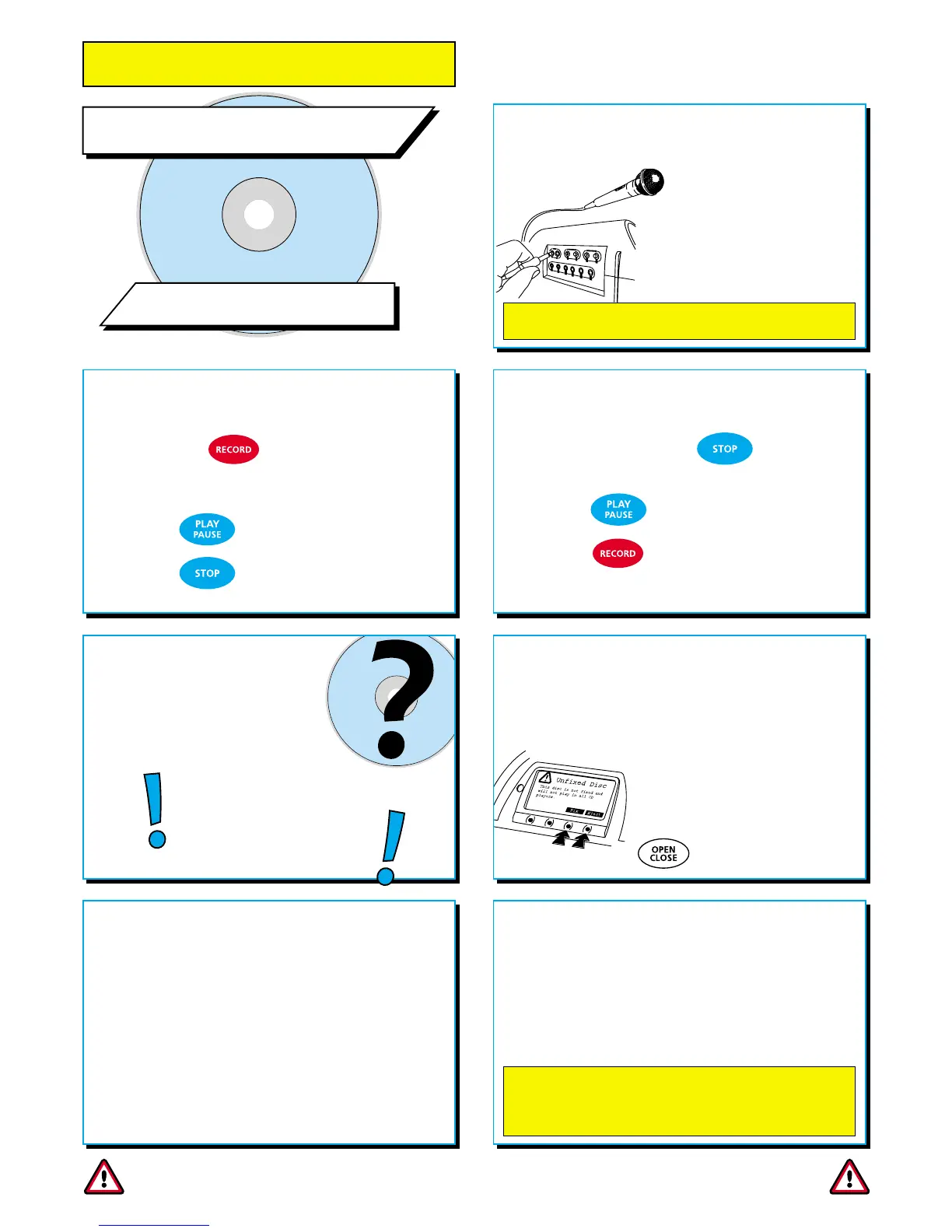
STOP RECORDING
Once you press the key, you
have made a CD track.
Press to play the track.
Press to record a new track.
3
3
WHAT NEXT?
Once you have finished
recording you can remove
the CD from the drive.
You get to choose what to
do with the CD when you
want to remove it.
4
4
IF YOU DON’T FIX A CD...
...you can record more tracks at a later
date...
but you can’t play it on other
CD players - you’ll only be able
to play it on a Coomber ‘Real Time’
CD Recorder until you fix it.
START RECORDING
Press the key.
You are now recording directly to CD!
Press to pause recording.
Press to stop recording.
2
2
FIX OR EJECT?
When you attempt to eject a recordable
CD from the drive you’ll be asked if you
want to fix or eject it.
Use the appropriate menu
key (arrowed) to select
your choice - or press the
key a second time.
5
5
IF YOU DO FIX A CD...
...you can’t add further tracks to it, but
you can play it on most* CD players!
*Note: CDs are read with a laser. Some players don’t
have lasers powerful enough to read CD-R or CD-RW
discs.
7
7
6
6
You can record to CD-R and CD-RW from
microphone, cassette or external sources
You can record on a CD-R once only.
You can record and erase a CD-RW many times.
GET READY TO RECORD
Insert a good quality
blank CD-R or CD-RW
(i.e. TDK, Sony, Verbatim).
Plug a microphone into
either microphone socket.
1
1
For improved recording quality use a “balanced”
microphone, such as the Coomber 1918 or 1808 models.
CD-RW discs can be erased. If you do fix a CD-RW you can
erase it at a later date. We have included an erase feature in
the menu should you wish to use it. Erasing a CD-RW will
mean that all information on the disc will be lost.
RECORDING TO CD
Important Note Always use good quality CDs for recording purposes (such as
TDK, Sony or Verbatim). Cheap CDs tend to have a high failure rate and may
lead to users losing (or failing to successfully complete) valuable recordings.
This equipment was developed and tested using high qulaity media. We will
not accept any liability for recording failure caused by the use of poor
quality, scratched or dirty CDs.


 To Next Page
 Loading...