EasyManua.ls Logo

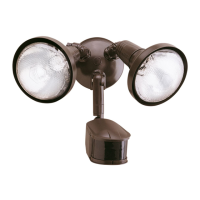
Cooper Lighting MS245R - User Manual

Cooper Lighting MS245R
6 pages
Print Icon
To Next Page IconTo Next Page
Loading...
Instruction Manual/Instrucciones
Questions?/¿Preguntas? 1-800-334-6871 ConsumerProducts@cooperlighting.com
1
•Disassemblyofyourxturewillvoidthewarranty.
•Yourxtureisprewiredandpreassembledforeasyinstallation.
•MINIMUM90°CSUPPLYCONDUCTORS.
•ThisdevicecomplieswithPart15oftheFCCRules.Operationissubjecttothefollowing
twoconditions:(1)Thisdevicemaynotcauseharmfulinterference,and(2)thisdevicemust
acceptanyinterferencereceived,includinginterferencethatmaycauseundesiredoperation.
UnderPart15oftheFCCRules,anychangesormodicationstothemotiondetector
describedinthisinstructionsheetthatarenotexpresslyapprovedbyCooperLighting,LLC
couldvoidtheuser’sauthoritytooperatetheequipment.
NOTE:ThisequipmenthasbeentestedandfoundtocomplywiththelimitsforaClassB
digitaldevice,pursuanttoPart15oftheFCCRules.Theselimitsaredesignedtoprovide
reasonableprotectionagainstharmfulinterferenceinaresidentialinstallation.This
equipmentgenerates,usesandcanradiateradiofrequencyenergyandifnotinstalled
andusedinaccordancewiththeinstructions,maycauseharmfulinterferencetoradio
communications.However,thereisnoguaranteethatinterferencewillnotoccurinaparticular
installation.Ifthisequipmentdoescauseharmfulinterferencetoradioortelevisionreception,
whichcanbedeterminedbyturningtheequipmentoffandon,theuserisencouragedtotryto
correcttheinterferencebyoneormoreofthefollowingmeasures:
-Reorientorrelocatethereceivingantenna.
-Increasetheseparationbetweentheequipmentandreceiver.
-Connecttheequipmentintoanoutletonacircuitdifferentfromthattowhichthereceiver
isconnected.
-Consultthedealeroranexperiencedradio/TVtechnicianforhelp.
WARNING: FCC Regulations state that any unauthorized changes or modifications
to this equipment not expressly approved by the manufacturer could void the user’s
authorization to operate this equipment.
SAVE THESE INSTRUCTIONS.
FOR BEST RESULTS
•Installthemotionsensor/transmitter8-12feet
abovetheground.(Motionsensorislesssensitive
above12feet.)
•Locatemotionsensorsomotionmovesacross
detectionzone(Fig.1).
•Locatesensorawayfromheatproducingsourcesto
preventfalsetriggering.Alsobeverycarefulnotto
includeobjectssuchaswindows,whitewallsand
waterinthedetectionzone.
•Locatesensorawayfrommovingobjectssuchas
trees,largeshrubsandstreettrafc.
•Donotinstallmorethanonemotionactivated
oodlightononewallswitch.
MOUNTING AND WIRING YOUR FIXTURE
WARNING: Risk of electric shock. Disconnect
power at fuse or circuit breaker before installing
or servicing.
PACKAGING CONTENTS/CONTENIDO DEL PAQUETE
ITEMS REQUIRED
(Purchase separately)
•Phillipsscrewdriver
•Outdoorweatherproofsiliconecaulking
•(2)100watt(MAX)PAR38oodlightbulbs
NOTE:Thisxturewasdesignedtoworkwithupto150wattmaximumPARhalogenood
bulbs.Forimprovedenergyefciency,lowerwattagePARhalogenoodbulbsmaybeused.
CompactFluorescent(CFL)bulbscontainelectronicswhichmayinterferewiththemotion
sensingfunctionofyourxtureandarenotrecommended.TomeetENERGYSTAR
®
requirements,maximumlampwattagecannotexceed250watts.
HOW IT WORKS
Yourmotionactivatedoodlightsensesheatimagesfrom
objectssuchaspeople,largeanimalsandautomobileengines.
Whenmotionisdetected,thelightswillautomaticallyturn
on.Oncemotionhasstopped,thelightswillturnoffaftera
preselectedtimedelay.Yourmotionactivatedoodlightmay
alsobeusedasastandardoodlight.
WARNINGS AND CAUTIONS
•Readtheseinstructions.
•Keeptheseinstructions.
•Heedallwarnings.
•Followallinstructions.
•Foroutdooruseonly.
•cULusLISTEDforwetlocations.
•Connectxturetoa120volt,60Hzpowersource.Anyotherconnectionvoidsthewarranty.
•Fixtureshouldbemountedtoagroundedrecessedmountedstandardjunctionboxmarked
foruseinwetlocations.
•Suitableforwallmountoreavemountonly.NOTsuitableforgroundmountinstallation.
•Donotallowsensorheadtotouchlighthousing–maintainatleast1in.spacebetween
xtureandsensor.
•Fixtureshouldbeinstalledbypersonswithexperienceinhouseholdwiringorbyaqualied
electrician.Theelectricalsystem,andthemethodofelectricallyconnectingthexturetoit,
mustbeinaccordancewiththeNationalElectricalCodeandlocalbuildingcodes.
•Alwaysreplacebulbwiththesamewattageorlowerwattagethanincluded.Installinga
bulbofahigherwattagecouldcreatearehazard.Useofahigherwattagebulbwillvoid
thewarranty(maximum150watthalogenbulb).TomeetENERGYSTAR
®
requirements,
maximumlampwattagecannotexceed250watts.
•Forproperoperationandprotectionagainstdamage,themotion
sensorheadadjustmentknobsmustbefacingtheground.
•Keepawayfromammableobjects.Donotpositionxturewithin2in.
ofanycombustiblematerials.
MS245R (Bronze)
MS245RW (White)
A. Motion detector
light fixture
Detector de movimiento
y artefacto de luz
ENGLISH
Upto
70feet
240degrees
I. (2) Reflectors
(2) Reflectores
D. (2) #6 and (2) #8 mounting screws
(use the size that fits your junction box)
(2) Tornillos #6 y (2) tornillos #8 de montaje
(utilice el tamaño que mejor se adecue a
su caja de conexión)
B. Coverplate gasket
Junta de la placa
de cubierta
E. (3) Wire nuts
(3) Tuercas para alambre
C. (2) Lampholder gaskets
(2) Juntas obturadoras
del receptáculo
F. Color-matched
center hole plug
Tapón para agujero
central de color
coincidente
G. Center bolt
Perno central
H. Mounting bracket
Soporte de montaje
Fig.1
Question and Answer IconNeed help?

Do you have a question about the Cooper Lighting MS245R and is the answer not in the manual?

Summary

How It Works

Warnings and Cautions

For Best Results

Mounting and Wiring Your Fixture

Operating Your Fixture

Selecting Your Desired Feature

Test Setting

Test motion detector to activate lights with motion day and night, turning off after 4 seconds.

Motion Activated (Auto Setting)

Lights activate with motion only at night and turn off after a set time (4 or 12 min).

2 Hour NIGHT TIME ON then Motion Activated

Lights turn on at night for 2 hours, then reset to regular auto motion settings.

4 Hour NIGHT TIME ON then Motion Activated

Lights turn on at night for 4 hours, then reset to regular auto motion settings.

6 Hour NIGHT TIME ON then Motion Activated

Lights turn on at night for 6 hours, then reset to regular auto motion settings.

Dusk-to-Dawn Setting Override Mode

Lights stay on at 100% brightness from dusk to dawn, then reset to AUTO at next dawn.

Continuous Override Mode (Standard Floodlight Setting)

Lights stay on continuously, day and night, requiring manual reset.

Return to Auto or Night Time On Settings

Resets motion activated modes from other settings.

Troubleshooting

Outdoor Lights Do Not Come On With Motion At Night

Addresses issues with fixture power, bulb, ambient light, and loose wiring.

Outdoor Lights Come On For No Apparent Reason At Night

Troubleshoots motion detection due to objects, sensitivity, or incorrect mode.

Lights Stay On At Night And Do Not Turn Off

Diagnoses issues with motion detection, sensitivity, and override mode.

Lights Continuously Blink On and Off At Night

Identifies problems related to override mode and the unit's own lamp affecting the sensor.

Lights Are On During The Day

Explains why lights may stay on during the day, related to test mode or shadowing.

Cannot Activate Dusk to Dawn Mode at Night (Override)

Covers insufficient time for mode activation and multiple fixtures on one switch.

Lights Do Not Come On In Night Time On Mode

Addresses incorrect sensor setting or bright ambient light affecting operation.

Lights Will Not Respond To Selected Night Time On Setting

Explains that Night Time On mode changes are only effective at the next dawn.

2-Year Limited Warranty

Summary

How It Works

Warnings and Cautions

For Best Results

Mounting and Wiring Your Fixture

Operating Your Fixture

Selecting Your Desired Feature

Test Setting

Test motion detector to activate lights with motion day and night, turning off after 4 seconds.

Motion Activated (Auto Setting)

Lights activate with motion only at night and turn off after a set time (4 or 12 min).

2 Hour NIGHT TIME ON then Motion Activated

Lights turn on at night for 2 hours, then reset to regular auto motion settings.

4 Hour NIGHT TIME ON then Motion Activated

Lights turn on at night for 4 hours, then reset to regular auto motion settings.

6 Hour NIGHT TIME ON then Motion Activated

Lights turn on at night for 6 hours, then reset to regular auto motion settings.

Dusk-to-Dawn Setting Override Mode

Lights stay on at 100% brightness from dusk to dawn, then reset to AUTO at next dawn.

Continuous Override Mode (Standard Floodlight Setting)

Lights stay on continuously, day and night, requiring manual reset.

Return to Auto or Night Time On Settings

Resets motion activated modes from other settings.

Troubleshooting

Outdoor Lights Do Not Come On With Motion At Night

Addresses issues with fixture power, bulb, ambient light, and loose wiring.

Outdoor Lights Come On For No Apparent Reason At Night

Troubleshoots motion detection due to objects, sensitivity, or incorrect mode.

Lights Stay On At Night And Do Not Turn Off

Diagnoses issues with motion detection, sensitivity, and override mode.

Lights Continuously Blink On and Off At Night

Identifies problems related to override mode and the unit's own lamp affecting the sensor.

Lights Are On During The Day

Explains why lights may stay on during the day, related to test mode or shadowing.

Cannot Activate Dusk to Dawn Mode at Night (Override)

Covers insufficient time for mode activation and multiple fixtures on one switch.

Lights Do Not Come On In Night Time On Mode

Addresses incorrect sensor setting or bright ambient light affecting operation.

Lights Will Not Respond To Selected Night Time On Setting

Explains that Night Time On mode changes are only effective at the next dawn.

2-Year Limited Warranty

Cooper Lighting MS245R Specifications

General IconGeneral
BrandCooper Lighting
ModelMS245R
CategoryLighting Equipment
LanguageEnglish

Related product manuals