- 16 -
Cycling
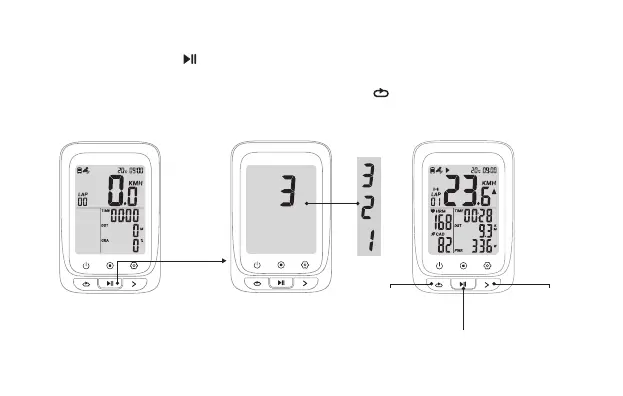
Press
Press: Mark
a new lap
Press: Pause/continue
Hold: Stop exercise and save the riding data
Press: Switch
the display
Turn on the device, press to start an exercise and recording(During the cycling, when the
cycling speed is 0, the device will pause automatically, if no data get for speed, cadence and heart
rate in 15 minutes the device will turn into sleep mode, press to resume).


 To Next Page