- 19 -
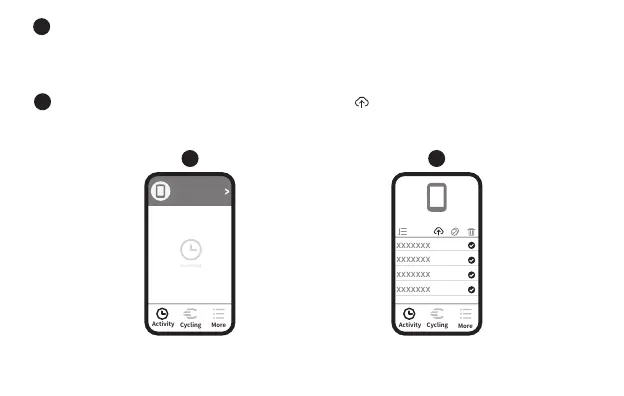
In the activity page of the App, click on the connected device to enter the record
synchronization operation page (through the authorization to Strava in the App more
settings, the computer data can be synchronized to the Strava platform at the same
time);
ID:x
Connected
xxxxxxx
4
5
4 5
Select the record to be synchronized and click Sync, and the record on the
computer will be deleted automatically after synchronization.


 To Next Page