14 | P a g e
Webcam
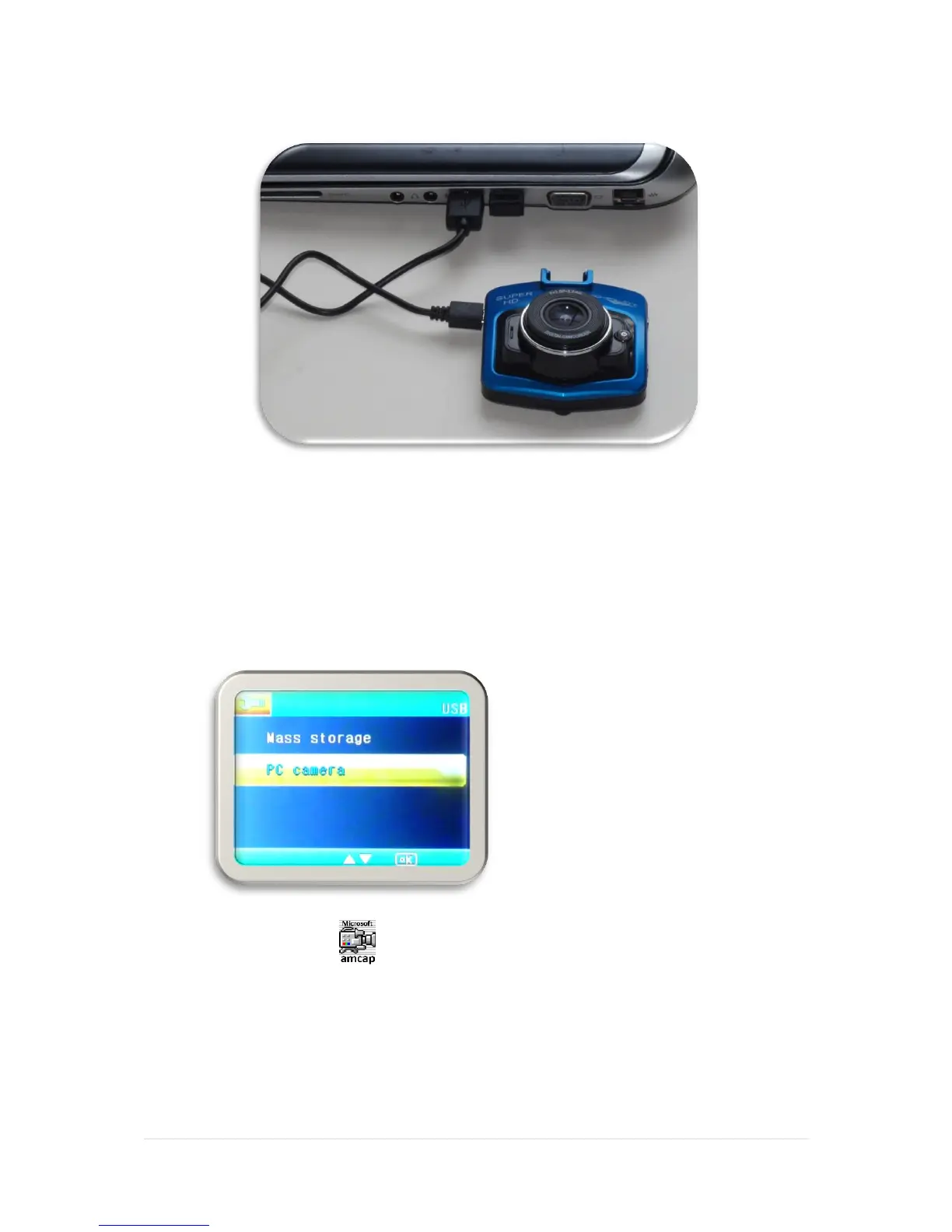
1. Connect your USB cable to the mini USB port on the side of your dash cam.
2. Connect the full-size USB end of the cable to a USB port on your Computer
3. Wait a few moments, there will be two options on the screen:
▪ Mass Storage
▪ PC Camera
Use the ▼ or ▲ buttons to select the “PC Camera” option.
4. Double click on the icon on your computer desktop to open and enter webcam
mode. (There may be other alternative applications you can use)
5. Follow the on-screen instructions to record and view your video feed.
6. Note: The AMCap driver is only compatible with the following operating systems:
Windows XP, Windows Vista, Windows 7, Windows 8 and Windows 10.


 To Next Page