5 6
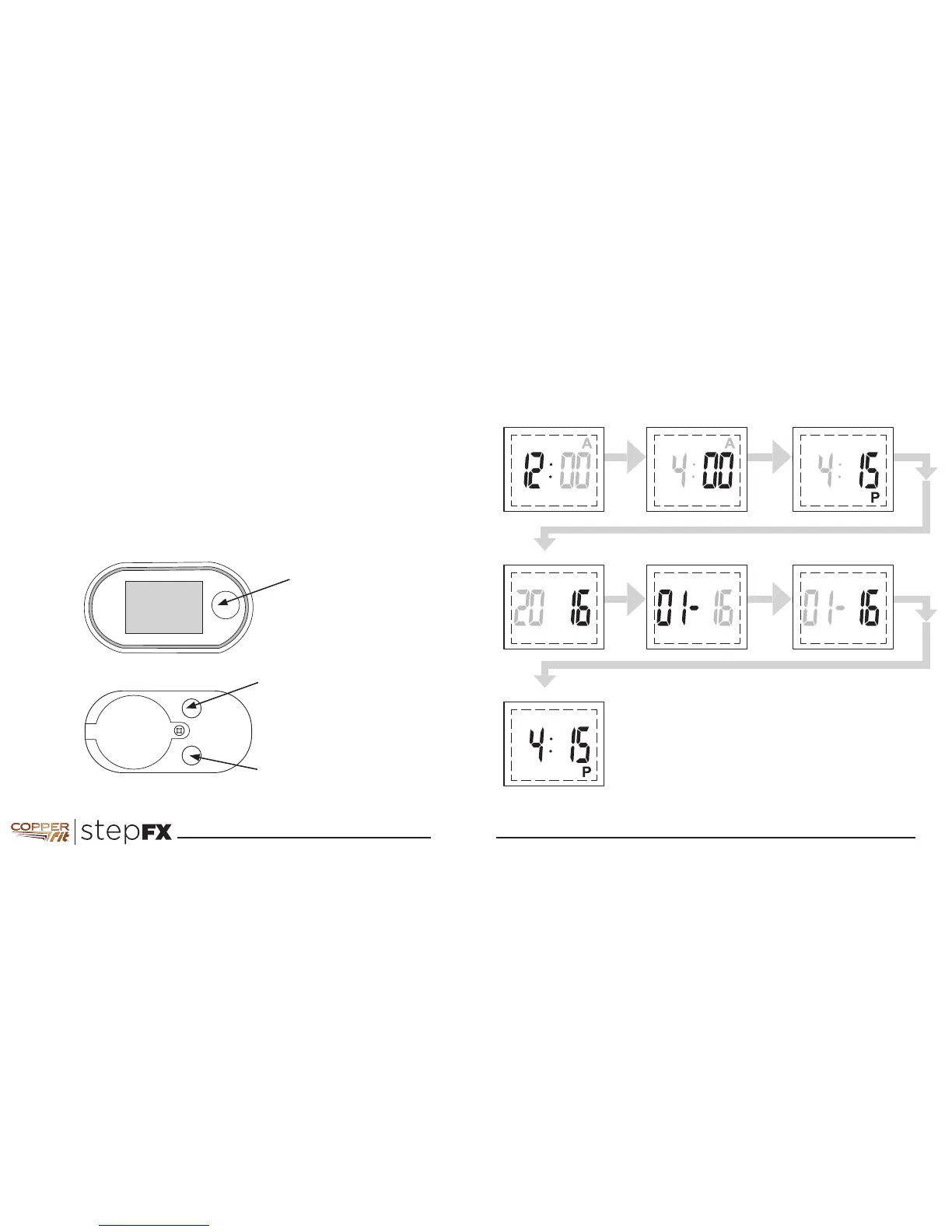
Setting Time and Date
After Installing or replacing the battery, the display module will
automatically come on with Hours flashing. Use the buttons as
indicated in the picture to set the value, then press SET to enter
the selected value and go to the next item.
Press RESET (to increase)
or MODE (to decrease)
to adjust Minute
Press MODE or RESET
to set AM/PM
Press SET Press SET Press SET
Press RESET (to increase)
or MODE (to decrease)
to adjust Hour
Press RESET (to increase)
or MODE (to decrease)
to adjust Month
Press RESET (to increase)
or MODE (to decrease)
to adjust Day
Press SET Press SET Press SET
Press RESET (to increase)
or MODE (to decrease)
to adjust Year
Copper Fit Step FX
enters into the
normal operation mode
Press RESET (to increase)
or MODE (to decrease)
to adjust Minute
Press MODE or RESET
to set AM/PM
Press SET Press SET Press SET
Press RESET (to increase)
or MODE (to decrease)
to adjust Hour
Press RESET (to increase)
or MODE (to decrease)
to adjust Month
Press RESET (to increase)
or MODE (to decrease)
to adjust Day
Press SET Press SET Press SET
Press RESET (to increase)
or MODE (to decrease)
to adjust Year
Copper Fit Step FX
enters into the
normal operation mode
Press RESET (to increase)
or MODE (to decrease)
to adjust Minute
Press MODE or RESET
to set AM/PM
Press SET Press SET Press SET
Press RESET (to increase)
or MODE (to decrease)
to adjust Hour
Press RESET (to increase)
or MODE (to decrease)
to adjust Month
Press RESET (to increase)
or MODE (to decrease)
to adjust Day
Press SET Press SET Press SET
Press RESET (to increase)
or MODE (to decrease)
to adjust Year
Copper Fit Step FX
enters into the
normal operation mode
HOUR
YEAR
FINISHED
MINUTE
MONTH
AM/PM
DAY
DECREASE(-) VALUE
ENTER VALUE
and go to next item
INCREASE (+)
VALUE
SET
RESET



 To Next Page