11 12
Automatic Operation (Tracking)
The Copper Fit Step FX automatically begins to capture data
when movement occurs. To avoid errors with small movements,
Copper Fit Step FX begins tracking when 10 or more steps are
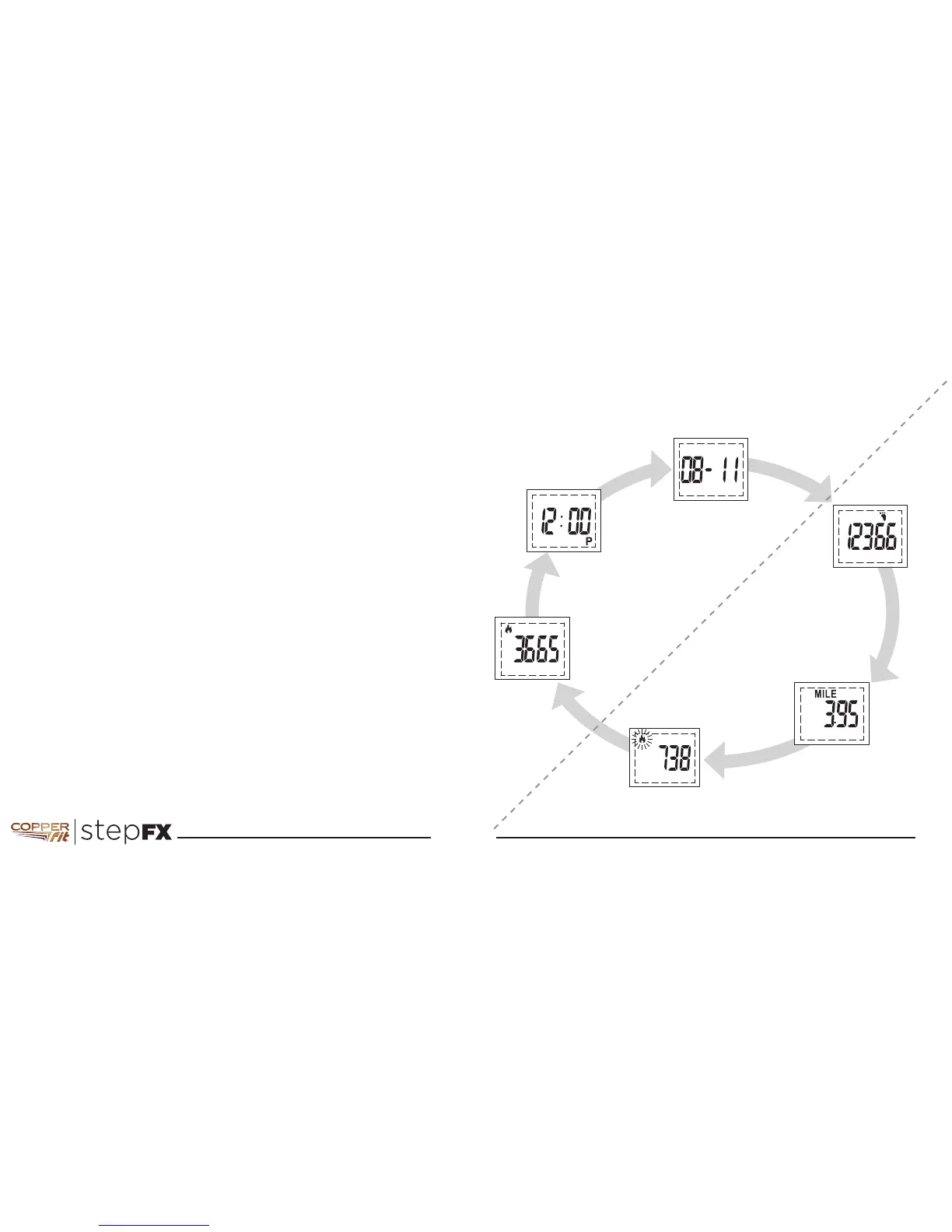
taken. Press the MODE button to scroll through TODAY’S
display data.
CALORIES DISPLAY
As a daily activity tracker, the Copper Fit Step FX tracks all
of your Total Calories burned and Active Calories burned.
Your Total Calories burned are your Basal Metabolic Rate
(BMR or resting Calories - counted continually) AND your
Active Calories. The Copper Fit Step FX adds your BMR to
any Active Calories. Total Calories is shown by a flame and
Active Calories is shown by a flashing flame. When resetting
TODAY’S data, only the Active Calories will be reset.
At midnight (12:00am), Copper Fit Step FX automatically moves
TODAY’S data to YESTERDAY’S data. TODAY’S data is reset to 0
and Copper Fit Step FX begins collecting new data for TODAY.
NOTE: Active Calories burned can be deleted so you can track
another activity.
OPERATING MODES
TIME MODES
ACTIVE MODES
Today’s Date
Today’s
Step Count
Today’s Distance
Today’s
Active Calories
Burned
Press MODE button
to cycle through
display screens
Today’s Time
Today’s
Total Calories
Burned



 To Next Page