48
GB
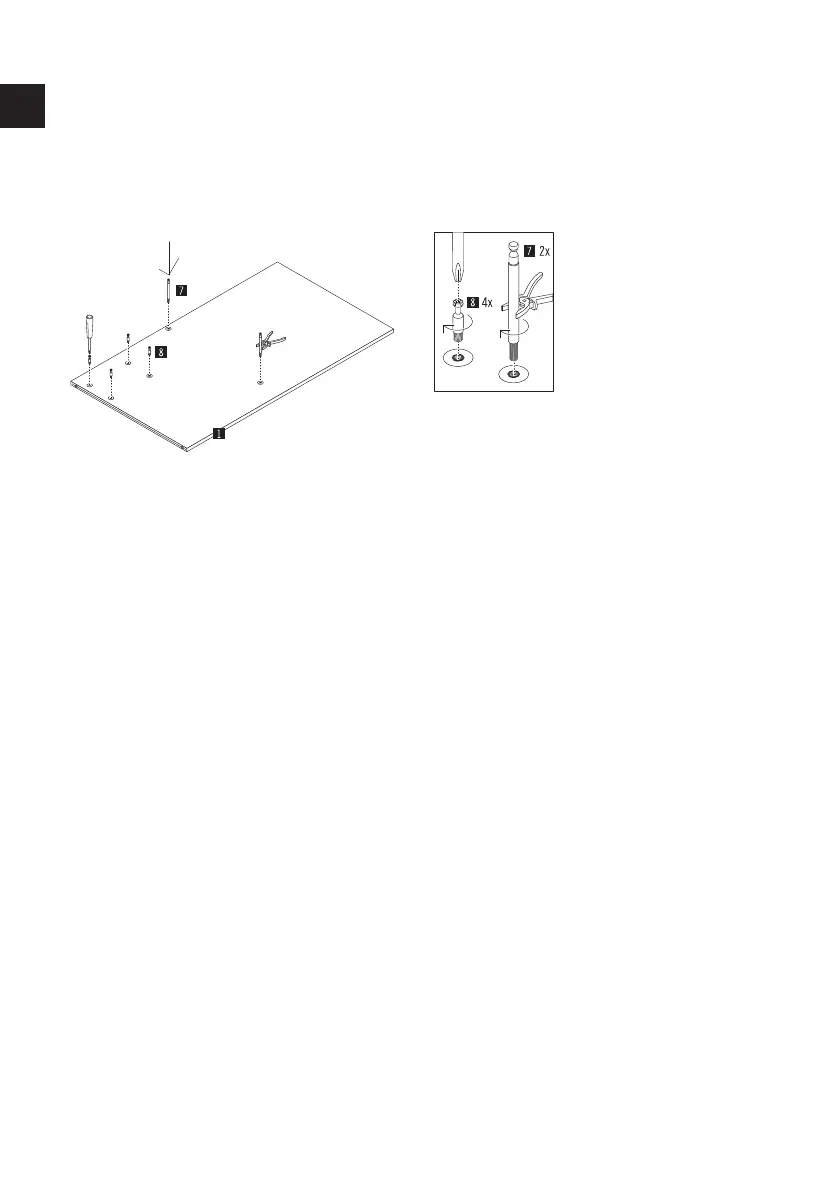
Start the assembly of the Chart partition wall
1210/1201 with partition wall A (part 1).
To do so, lay partition wall A with the cut-out
holes facing up. First, screw the 2 shelf bolts
(part 7) into the threaded sockets in the cor-
rect positions by hand.
ATTENTION: Throughout the entire assembly,
make sure that the cover fabric does not get
snagged by the various bolts.
Tighten the two bolts with pliers. Now screw
the 4 Maxifix bolts (part 8) into the threaded
sockets provided using a suitable Phillips
screwdriver.
Assembly Chart 1210/1201
partition wall A
1



 To Next Page