60
Assembly Chart 1220/1202
shelves
6
7
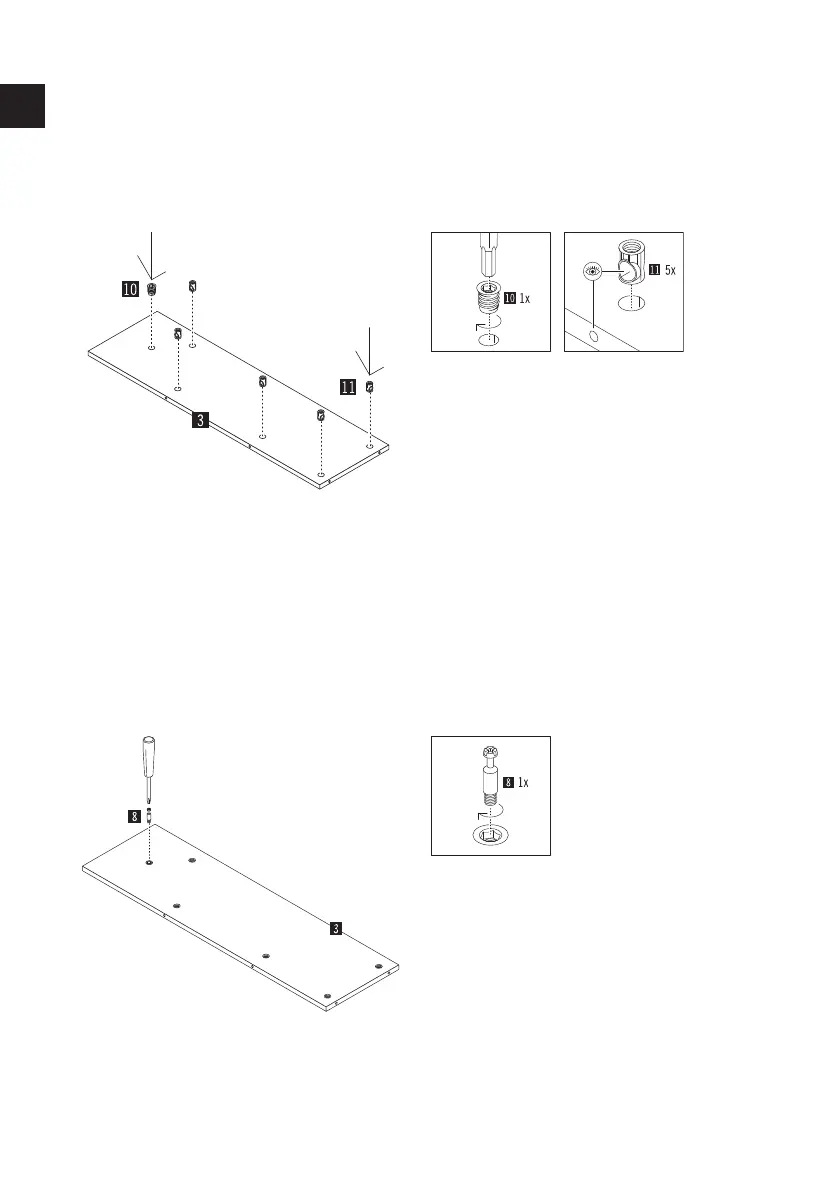
Insert the 5 connector housings (part 11) into
the holes provided in the shelf (part 3). Make
sure that the side holes in the housings are
aligned with the side drill holes.
TIP: Check the correct position using a shelf
bolt by inserting it once into the side hole for
testing and then pulling it out again.
Carefully screw the insert nuts (part 10)
straight into the hole in the shelf (part 3) using
a cordless screwdriver with an Allen key bit.
Screw the Maxifix bolts (part 8) to the shelf
(part 3) with a Phillips screwdriver into the
insert nuts (part 10) provided.
GB



 To Next Page