Timing function
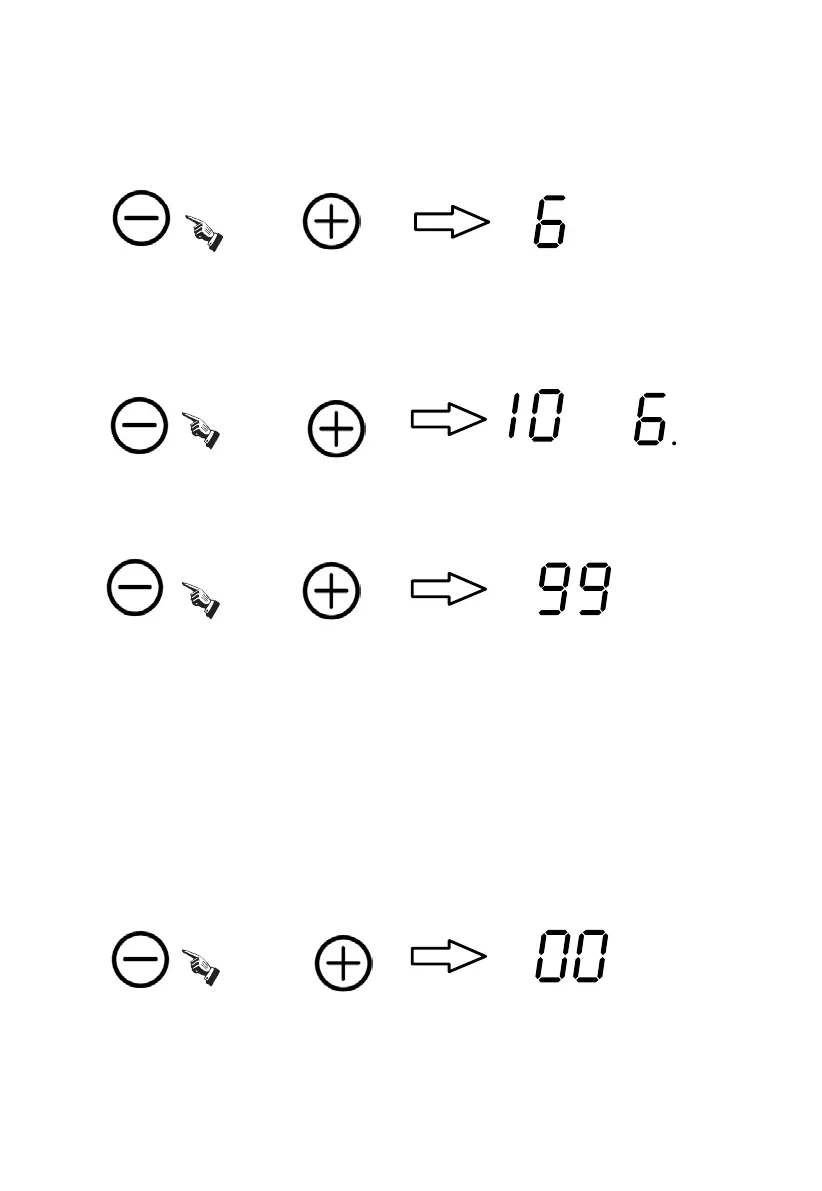
Select the relevant cooking zone, and set the power level with the “+” or “-”
button. (e.g. the cooking zone 3 with power level 6)
Press the "+"or"-""of timing button, the timing indicator flashes, and you can
set the timer at this point.
Using the “+” or “-“of timing buttons, you can realize the setting of timing from
1 to 99 minutes.
When the “+”of timing button is pressed, the time setting will increase by 1 minute;
And it will increase by 10 minutes when the “+”of timing button is long pressed.
When the “-”of timing button is pressed, the time setting will decrease by 1 minute;
And it will decrease by 10 minutes when the “-”of timing button is long pressed.
Timing confirmation:
After selecting a set time, once the timing indicator flashes for 5 seconds, the set
time will be confirmed to be valid automatically.
Timing cancellation:
If press the "+" and "-" simultaneously, the timing can be cancelled automatically,
with the timing indicator showing “00”.
OR
OR AND
OR
AND
16


 To Next Page