18
Wi-Fi
®
can only be used when the device connects to a Wi-Fi
®
Access Point
(AP) or a free, unsecured Wi-Fi
®
hotspot.
NOTE: This laptop supports 2.4GHz Wi-Fi
®
networks only.
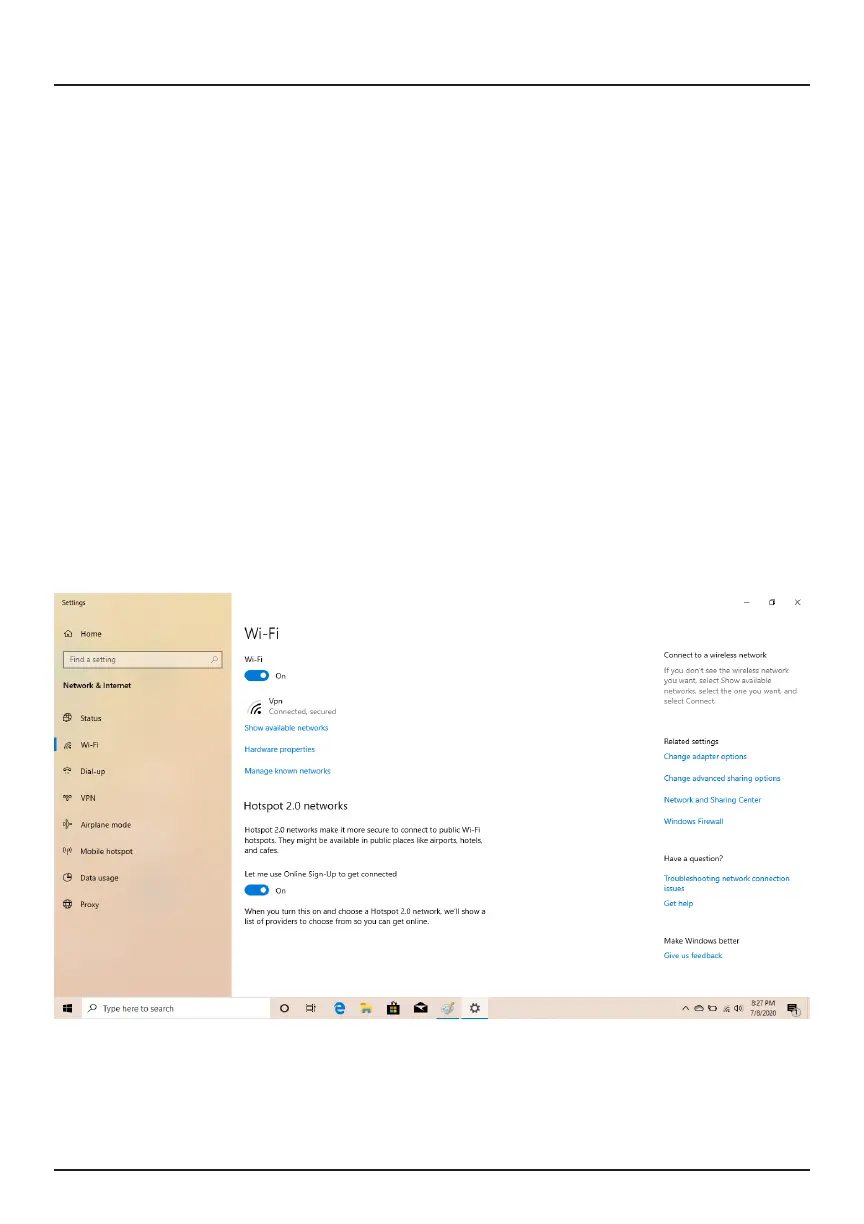
Turn On Wi-Fi
®
Within the Action Center menu, select the "Network" icon.
Under "Network & Internet Settings", switch on Wi-Fi
®
to scan for available
networks.
Your laptop will list the networks it nds. Click a network to connect.
When connected, the wireless indicator appears on the status bar. The white
lines indicate connection strength.
NOTE: This device supports 2.4GHz Wi-Fi
®
networks only.
Network


 To Next Page