Installation Instructions for Merchandiser Graphic on Dispenser with Icemaker Adaptor
©2012, IMI Cornelius Inc. www.cornelius.com Publication Number: 620909201PNB
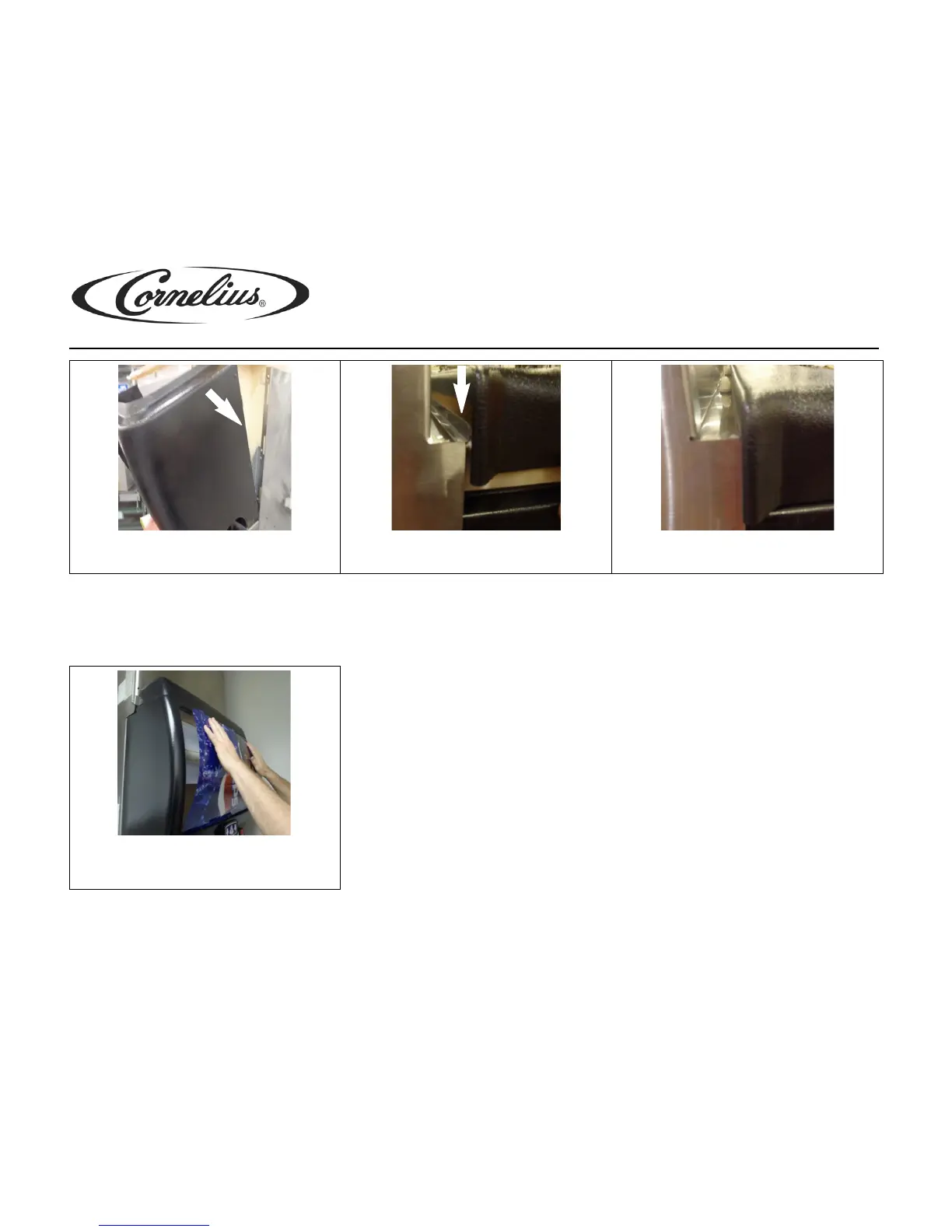
NOTE: The lid has to engage the adapter flange to be secured properly.
IDC255 Model:
NOTE: For IDC255 units, the merchandiser and lid do not need to be removed in order to replace the graphic.
7. Place merchandiser on the beverage panel and insert
the merchandiser brackets into the sheet metal cabi-
net slots. Push merchandiser down to engage hooks.
8. Return the lid to it's proper position on top of the dis-
penser, aligning the lid flange with the flange of the
adapter.
9. The lid flange must sit flush to the adapter between
the nylon acorn nuts and the adapter flange.
1. IDC graphic is changed from the front by pressing
the graphic down with both hands. Reverse the
process by inserting the graphic tabs into the mer-
chandiser.




 To Previous Page