Instrument Overview
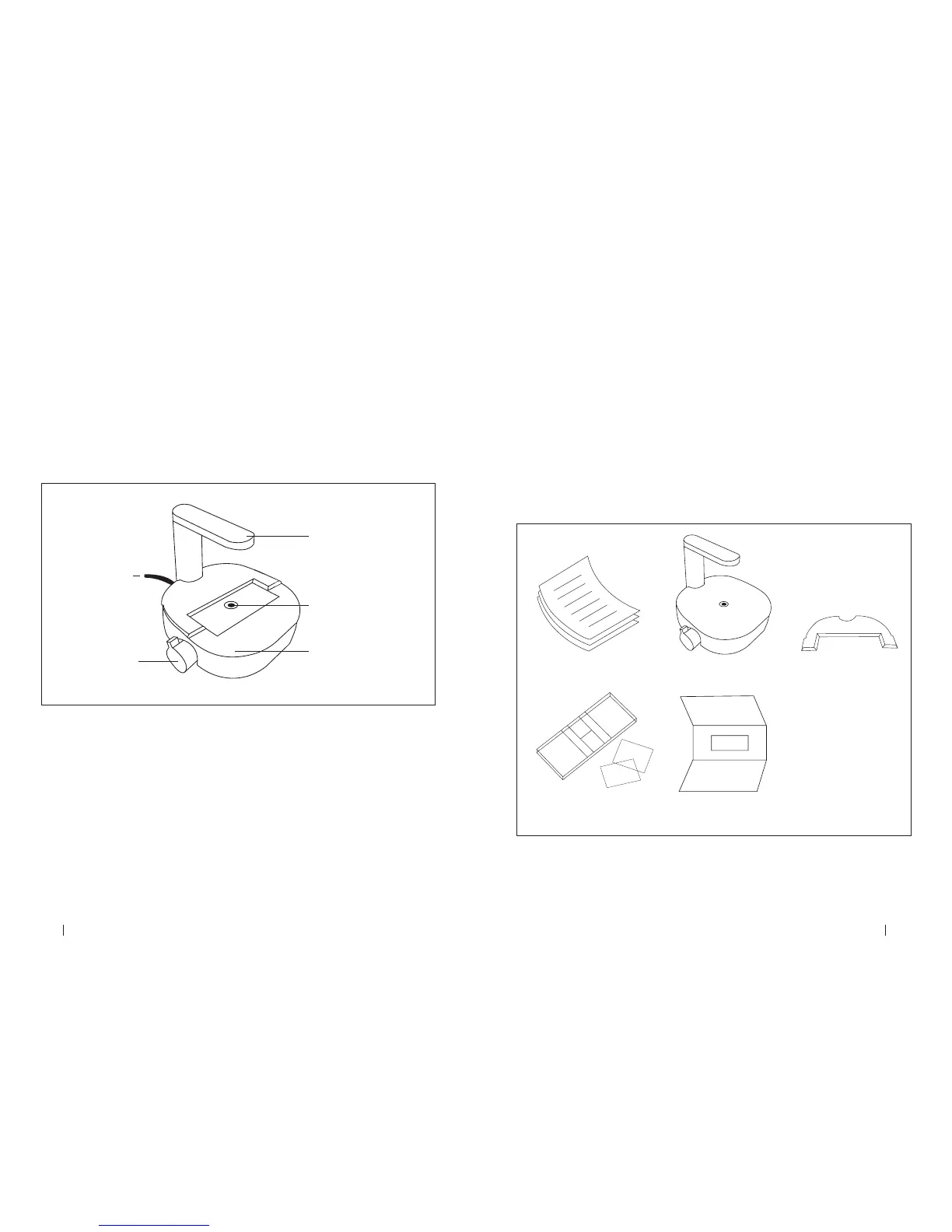
The hardware of the Corning® Cell Counter is shown below (Figure 1):
1. Light arc – Contains the light source for imaging
2. USB cable – For connecting the device via USB, which is also the power source for
the device
3. Optical window – Cover glass on which the counting chamber is placed
4. Adapter plate – Used to guide the counting chamber across the optical window
5. Focus knob – Allows for changing the focus of the image
Figure 1. Instrument overview of the Corning Cell Counter
1. Light Arc
2. USB Cable
5. Focus Knob
3. Optical Window
4. Adapter Plate
2.0 Getting Started
Product contents include the following items (Figure 2):
1. Manual and Quick Starter Guide
2. Corning® Cell Counter
3. License key
4. Adapter plate for the counting chamber
5. Counting chamber with two cover slips
6. Download link to the CytoSMART™ Cloud App software
7. USB drive for software
Figure 2. Package overview
Manual Corning Cell Counter Adapter plate for
counting chamber
License keyCounting chamber
with two cover slips
For additional information or any questions regarding your purchase, visit
support@cytosmart.com or contact our support staff at corning.support@cytosmart.com.



 To Next Page