Examples:
IPTV
WIFI
SECURITY
IP PHONE
BMS
Etc.
3
RD
Virtual App Host / Server
p/n: 1LAN-SRV-50195L
p/n: 1LAN-D600E05-BL
p/n: 1LAN-SDDP-48P
SFPs:
1LAN-SFP-4305BC Bi-Di SFP, 1Gb
to ONT
1LAN-QSFPP-40GB-LR 40Gb SFP
1LAN-SFPP-10GB-LR 10Gb SFP
1LAN-SFP-1GB-LXLH 1Gb SFP
1LAN-SFP-1GCU Cu SFP
1LAN-OA-UPC
| Page 7
ONE SD-LAN Head
End Equipment
Quick Installation Guide
SD-LAN-000-HEEQUIP
Qucik Installation I SD-LAN-000-HEEQUIP
3.3 Application Controller Connections
Step 1
Step 2
Step 3
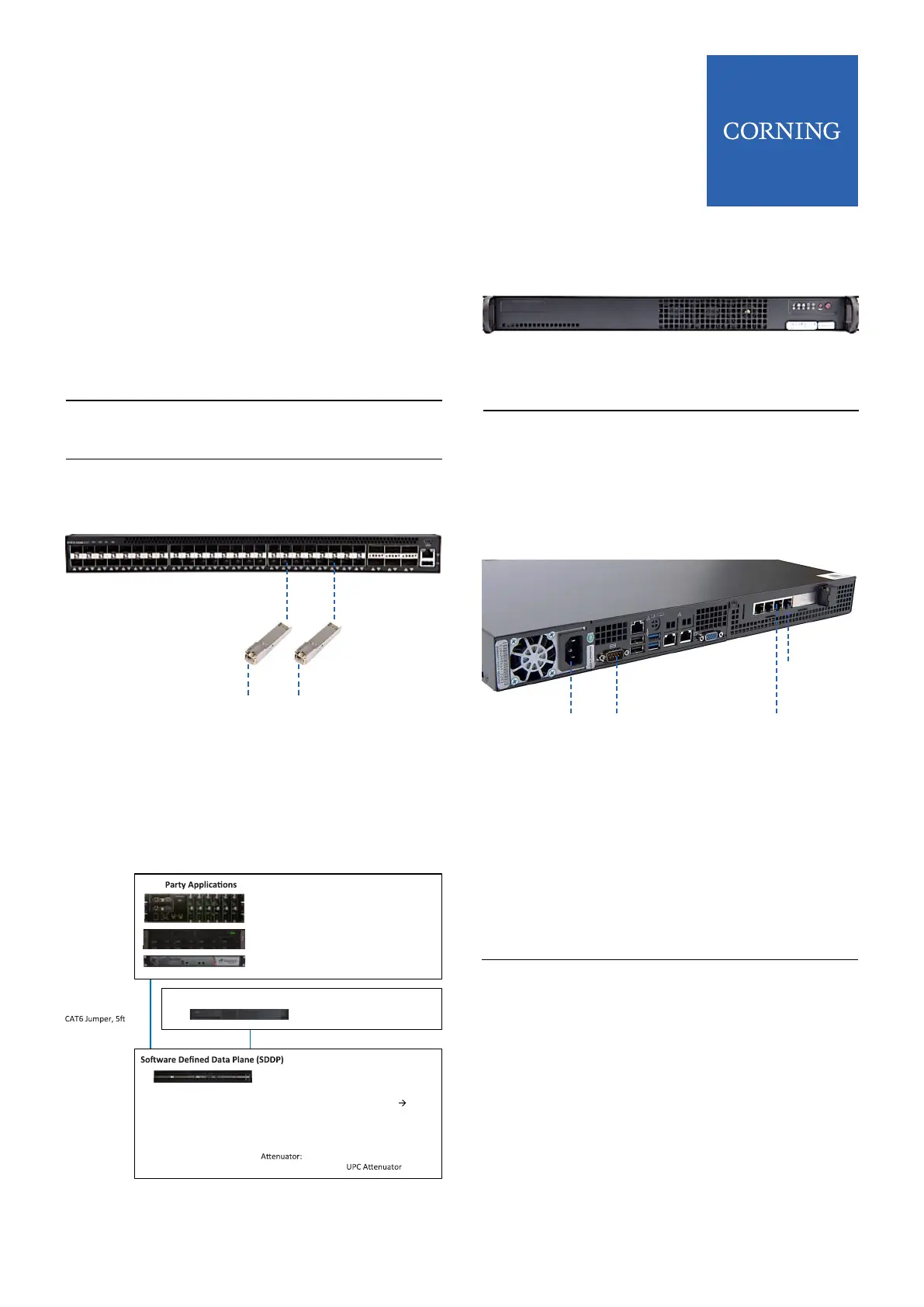
Insert appropriate SFP’s into SDDP
TOR switch ports. These SFP’s will
correspond to the applications being
managed by the Corning SD-LAN
Platform.
Using appropriate jumpers connect
to SFP’s
Connect other end of jumper to
corresponding Application Controller
To Application Controllers
SFP SFP
4 Virtual Application HOST/SDDP
Top Of Rack (TOR) Switch Sat Up
Using External Router |
4.1 Virtual Application Host Connections
Step 1
Step 2
Connect power to Virtual Application
Host
Connect a CAT 6 jumper into RJ-45
data port on the right side located on
the back of Virtual Application Host
and connect other end of jumper to
external router
Power To SDDP
TOR
Console
To SDDP
TOR
To External
Router
Step 3
Step 4
Using a CAT 6 jumper plug into RJ-
45 data port to the left of external
router connection on the back of
Virtual Application Host and route
to SDDP TOR switch in rack using
horizontal and/or vertical
management in rack
Using included console cable,
connect serial end of cable to serial
port on the back of Virtual Application
Host and route to SDDP TOR switch.



 To Next Page