4-31
Controls and Indicators
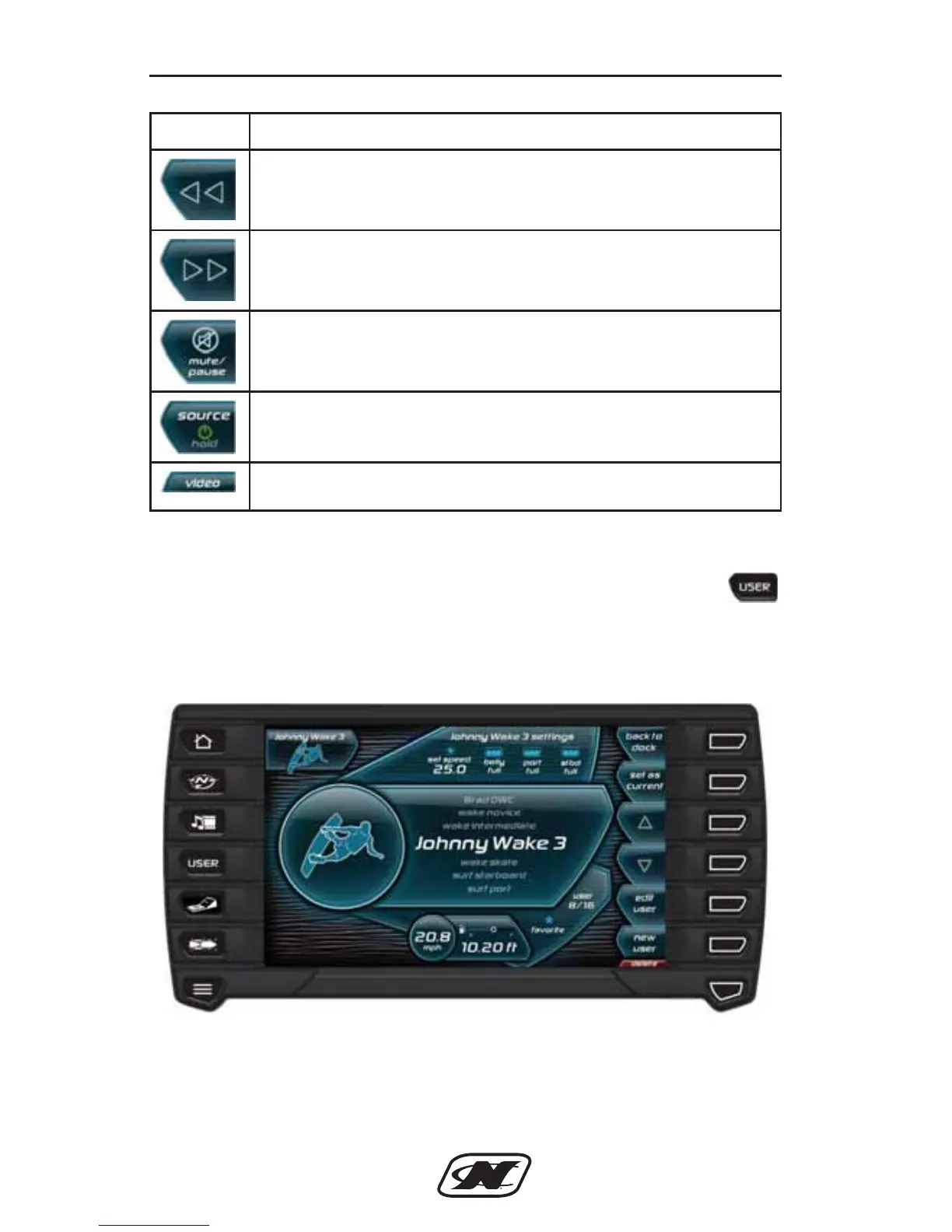
User Profiles
The User Profile screen can be accessed by pressing the
Quick Access Key. This feature displays rider/skier profiles
containing speed and ballast settings. The unit comes preloaded
with default user profiles and the ability to create additional users.
Soft Key Description
PREV TRACK – plays the previous track of the current CD
playing and other functions depending upon the input
source.
NEXT TRACK – plays the next track of the current CD
playing and other functions depending upon the input
source.
MUTE/PAUSE – toggles between Play and Pause modes
when a CD is playing.
SOURCE – toggles between the available sources. In
addition, press and hold turns stereo on/off.
Video – switches unit to video mode.
D-Drive Sec 4_2013_Nautique Ski Sec 4.qxd 7/3/12 10:15 AM Page 31







 To Next Page